
Execute Script
This guide provides a comprehensive overview of managing battle flows using the internal scripting engine.
Battle System Scripting Guide
Don’t worry if you only have one script available, you can still follow this lesson; it might just be a bit less convenient.
If you need more scripts to make learning easier, feel free to reach out to Sai, he can provide you with some free ones.
1. Battle Start
The Battle Start script initializes the combat environment. To load the boilerplate, create a new script, enter edit mode, and apply template #1 battle_start.
Core Functionalities
The script executes three primary operations:
- Enemy Selection: Randomly picks enemies from a specified
pool_keyprovided in the request payload. - Character Spawning: Spawns player characters using the
preset_idpassed via the payload. - Session Initialization: Saves combat data to server memory using the
game.battle_session_create()function.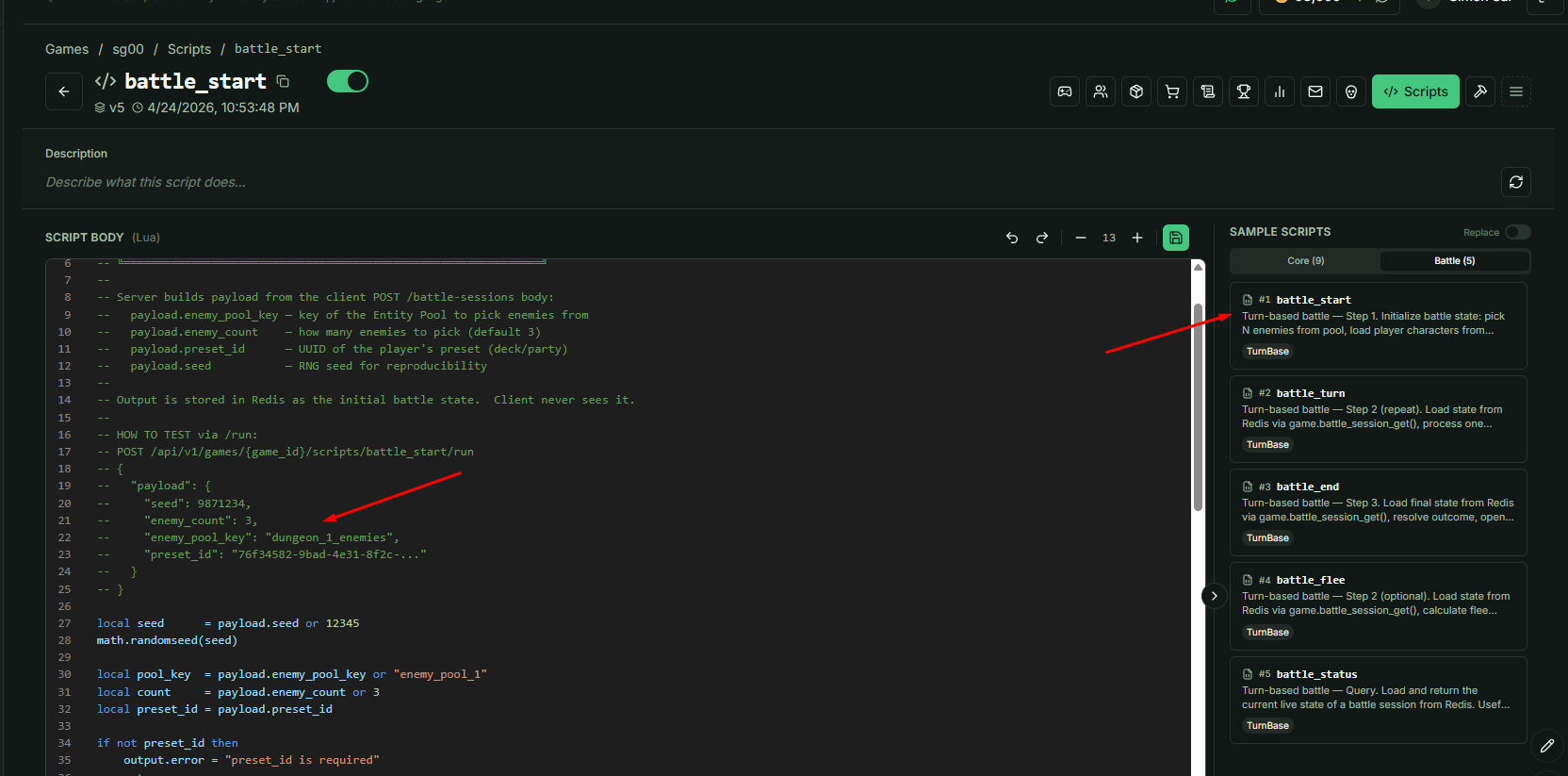
Request Payload Parameters
| Parameter | Type | Description |
|---|---|---|
pool_key | string | The identifier for the enemy spawn pool. |
preset_id | string | The ID of the character preset to be deployed. |
2. Battle Status
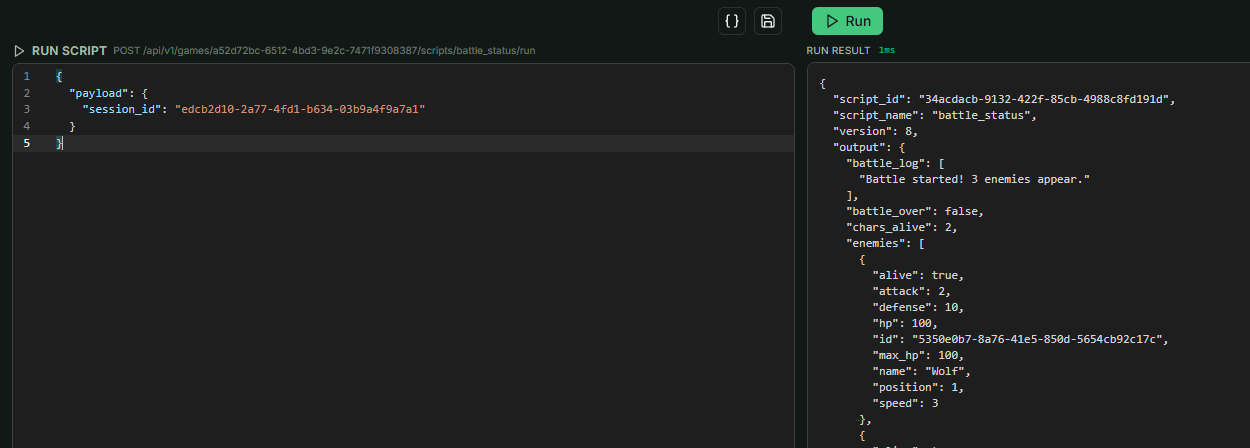
Once a battle is active, you can query its current state at any time. Use template #5 battle_status for this logic.
Implementation
To check the status, you must pass the session_id (also referred to as the Battle ID) within the payload. This allows the script to fetch real-time data regarding health, turn counts, and active participants.
3. Battle Turn Logic
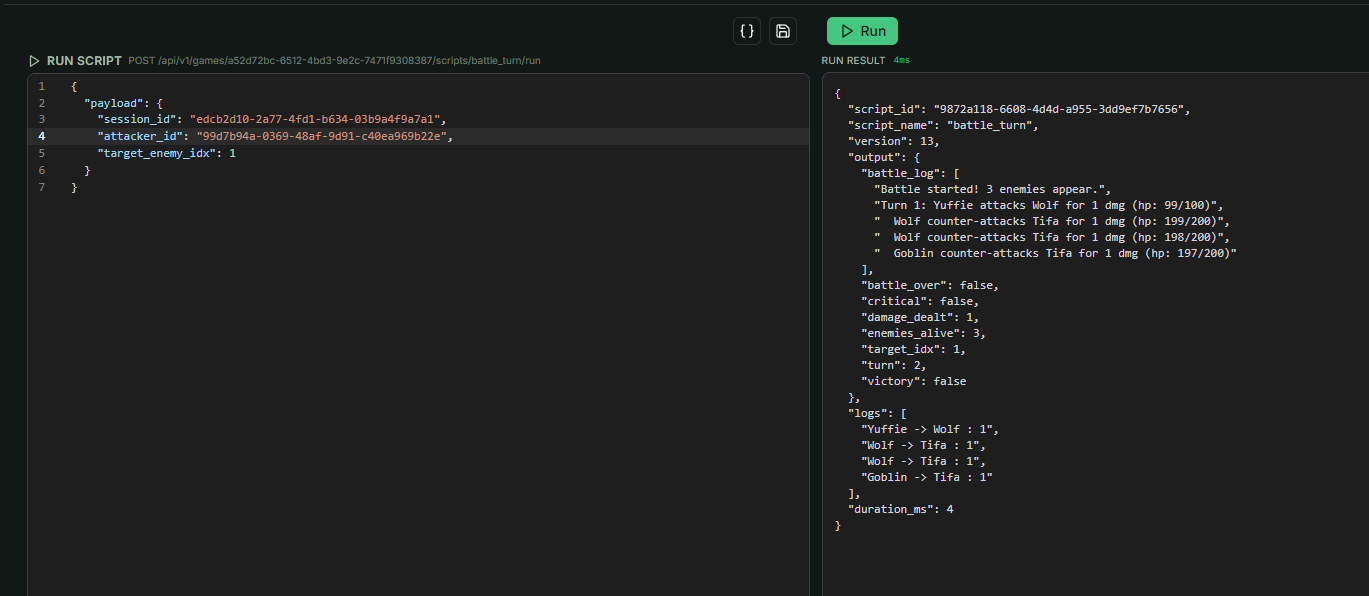
This script manages the execution of individual combat turns. The provided sample is a fundamental template demonstrating basic attack effects and health reduction.
Workflow
- Execution: Processes interactions between players and enemies.
- Win/Loss Condition: The loop continues until one side is eliminated.
- Customization: You are encouraged to rewrite this logic to suit your specific mechanics (e.g., elemental weaknesses, buffs, or complex AI).
Important: If the default template does not meet your specific scenario requirements, reach out to Sai for technical support.
4. Battle Conclusion (End vs. Flee)
There are two primary methods to terminate a battle session: battle_flee and battle_end.
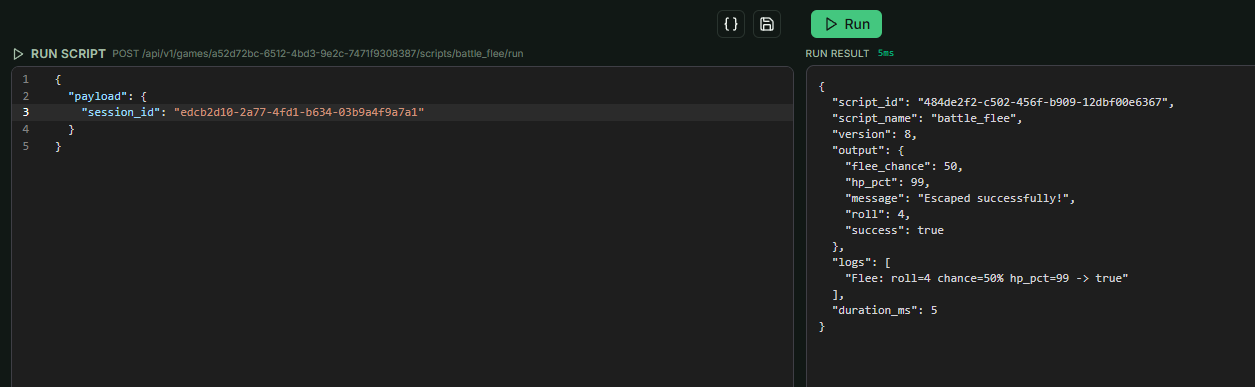
a. Battle Flee
- Mechanism: Uses an RNG (Random Number Generator) check to determine if the escape attempt is successful.
- Result: If successful, the session closes without further effects or rewards.
b. Battle End
This logic handles victory and defeat conditions based on the remaining enemy count.
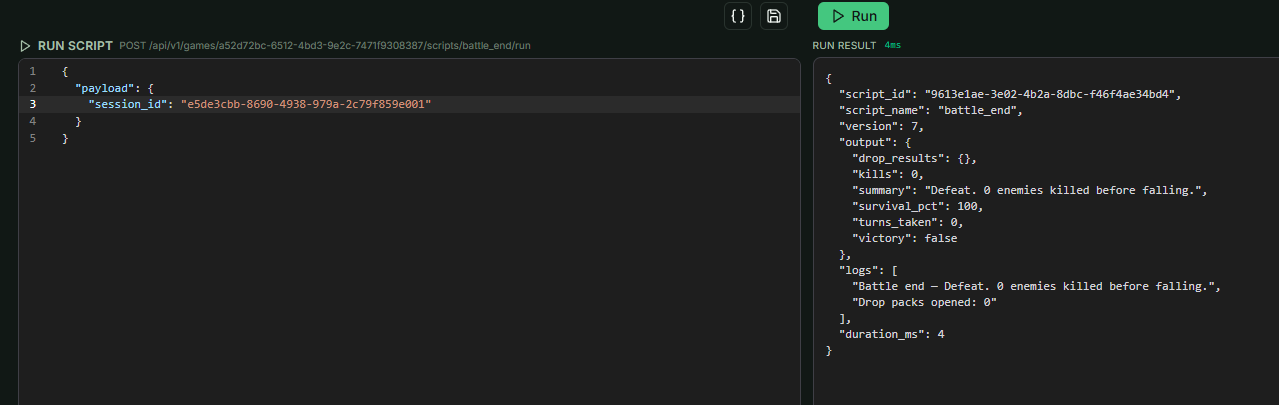
- Defeat: Triggered if
battle_endis called while enemies are still alive. - Victory & Looting: Triggered when all enemies are defeated.
- Loot Drops: The script triggers
game.open_entity_drop_packsif Gacha packs are assigned to the enemies or the pool. - Key Requirements: If a pack requires a specific key, the player must possess it to receive the loot.
- Optimization Tip: Integrate this with the Item Generator to manage "Energy" costs for opening packs, preventing players from spamming battles.
- Loot Drops: The script triggers
- Alternative Flow: You may move the loot logic to the Battle Turn script if you prefer items to drop immediately upon an enemy's death rather than at the end of the match.