
Enemy Definition
Enemy Configuration with Entity System
The Battle Script system enables combat interactions with in-game enemies. Before implementing battle logic, you must define your enemies using the Entity System.
1. Entity Limits and Definitions
By default, each game supports up to 10 Entities (representing 10 unique enemy types).
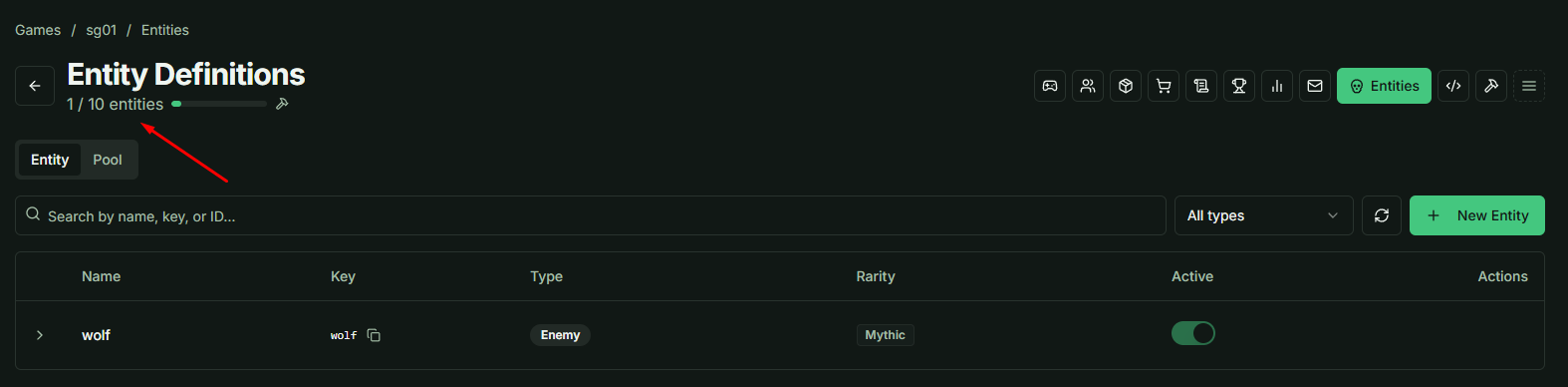
- Scaling: You can increase this limit by upgrading your subscription tier.
- Classification: While Entity Type and Rarity are primarily for organizational purposes within the Definition stage, they can be utilized as specific triggers or modifiers within your Lua scripts.
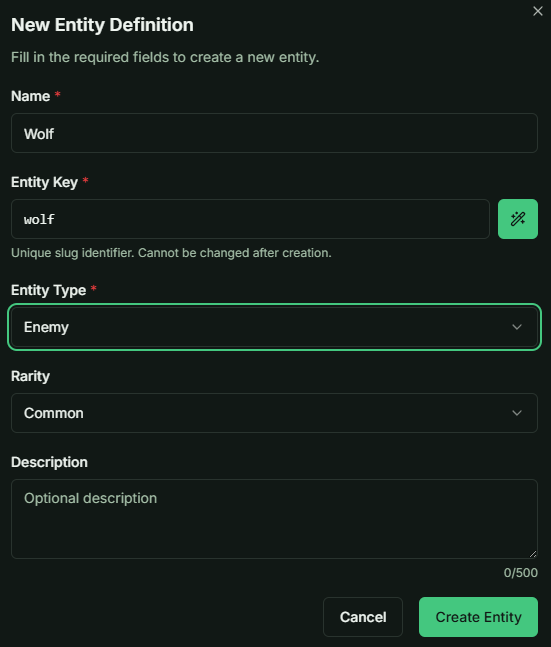
2. Stats and Customization
Entities are highly flexible. You have full control over the data structures assigned to your enemies.
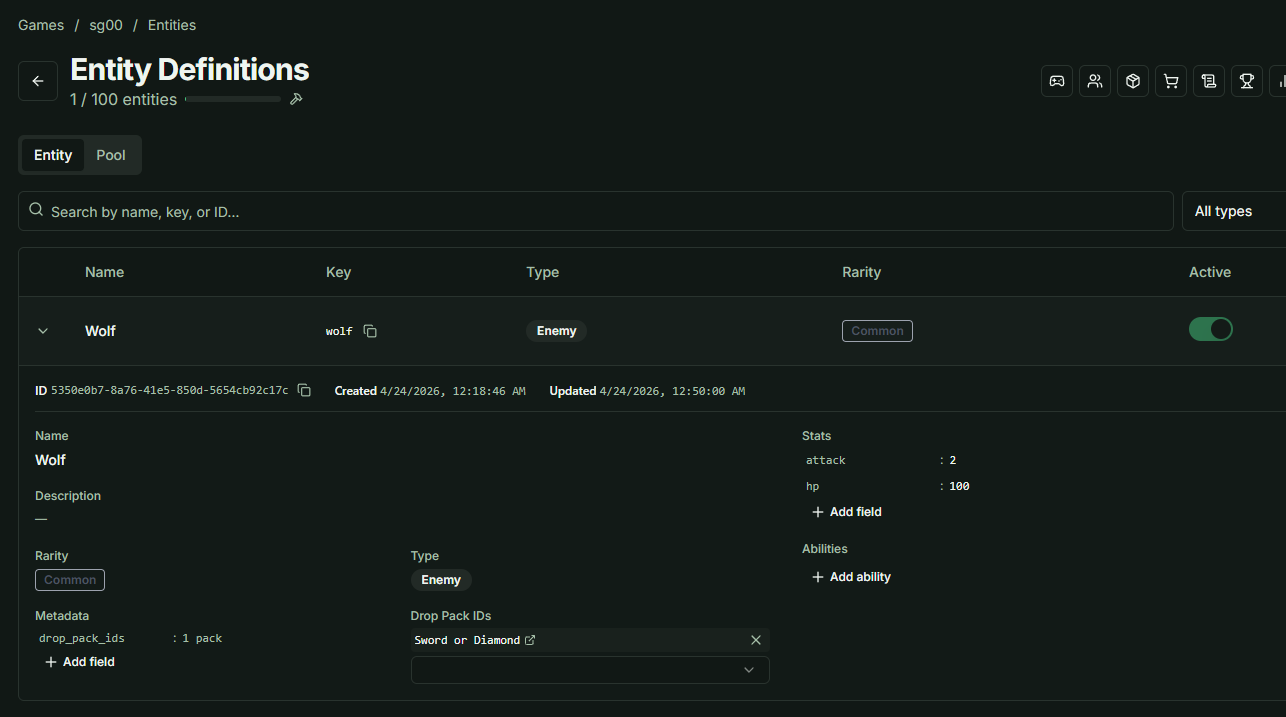
- Custom Stats: You can add parameters such as
hp,attack,speed, or any custom variable. These stats are directly accessible and manipulated within the Battle Script. - Abilities: You can assign abilities to an Entity.
Note: Abilities at this stage are data-only. All functional logic must be implemented manually within your Lua Script or Game Client code.
3. Loot and Drop Systems
The Drop Pack IDS feature links enemies to the reward system.
- Function: This field utilizes Gacha Packs to handle item drops.
- Implementation: When an enemy is defeated, the Battle Script triggers the associated pack(s). You can link a single pack or multiple packs to a single enemy.
4. Requirement for Sample Battle Scripts
To ensure your enemy is compatible with our provided Sample Battle Scripts, please initialize your enemy Entity with the following specific stats:
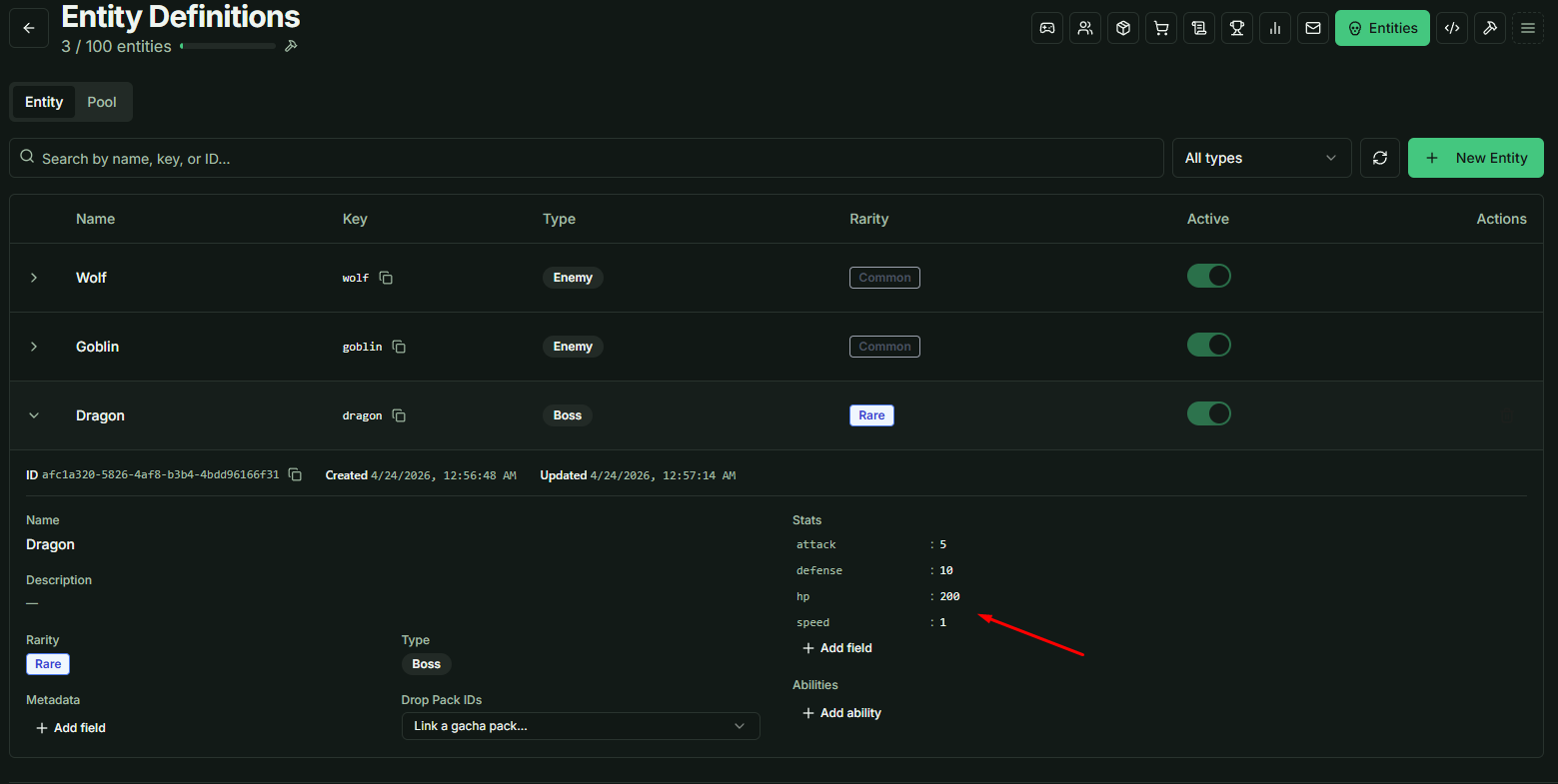
| Required Stat | Description |
|---|---|
hp | Health Points |
attack | Offensive power |
defense | Damage reduction |
speed | Turn order or frequency |
Values for these stats can be set to any numeric value of your choice.