
Quest Reward Delivery
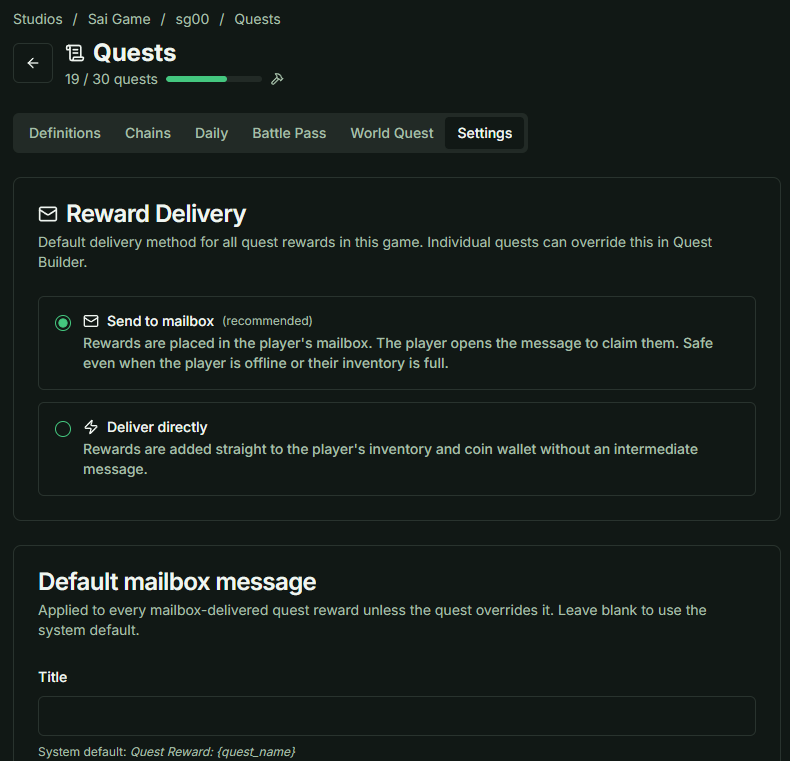
By default, rewards are sent to the Mailbox. You can switch to direct delivery in the Settings tab.
1. Global Settings
These configurations will apply to all quests by default:
- Mailbox Customization: You can customize the Title and Body text for reward emails to match your game's theme.
- Direct Delivery: To simplify the player experience, you can choose to send rewards directly to the Main Inventory, bypassing the mailbox entirely.
2. Overriding Settings for Specific Quests
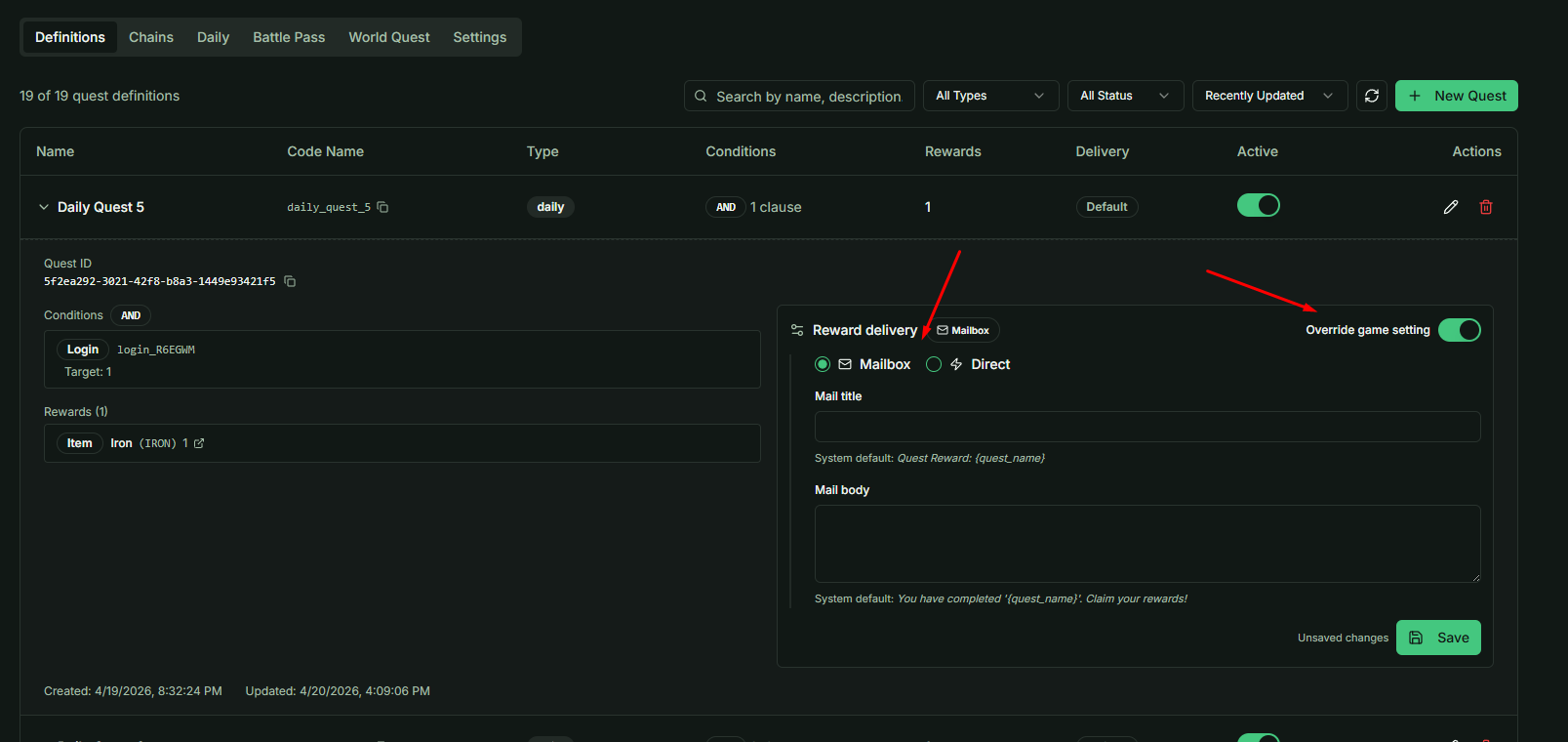
If you have a unique quest that needs to follow different rules (e.g., a special event quest that must use the mailbox while others use direct delivery):
- Create the Quest Definition.
- Expand the quest details.
- Select the Override Game Settings option to set custom reward logic for that specific quest only.
Developer Tip: Use Direct Delivery for high-frequency daily quests to reduce friction, but keep the Mailbox for "Epic" story rewards to give them more impact.