
Leaderboard Admin Page
Manage game rankings, seasons, real-time standings, and historical data.
Feature Status: Leaderboard Tracing
In the top-right corner, you will find the Leaderboard Tracing status.
- Read-only: Regardless of the current state, this toggle cannot be manually switched here.
- Requirement: This feature activates automatically if your game has a Rare subscription or higher. You can click the "Rare" link to visit the Plugins page for upgrades.

Viewing Live Rankings
In the Leaderboard list, look for the Season Data icon 👑 under the Actions column.
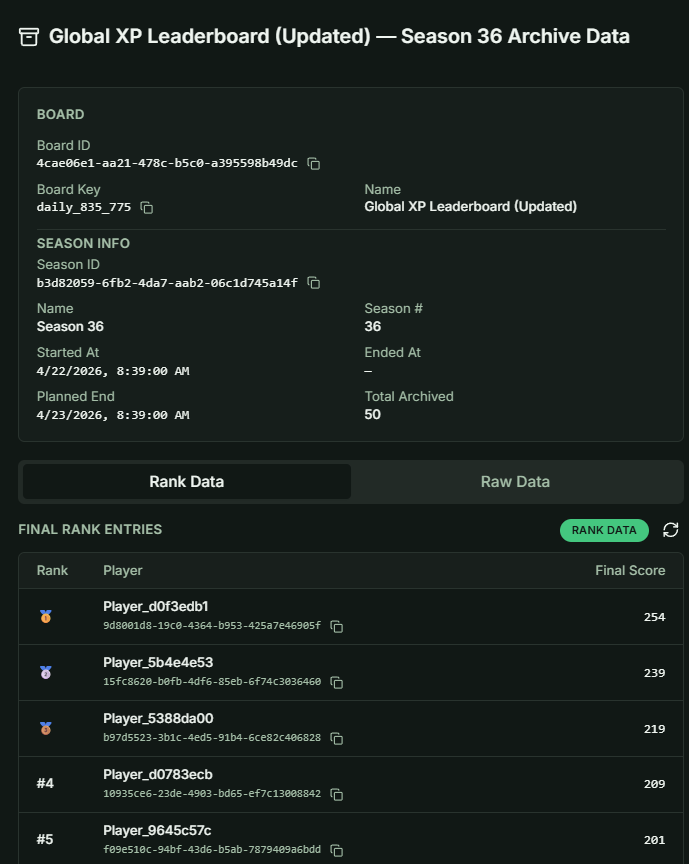
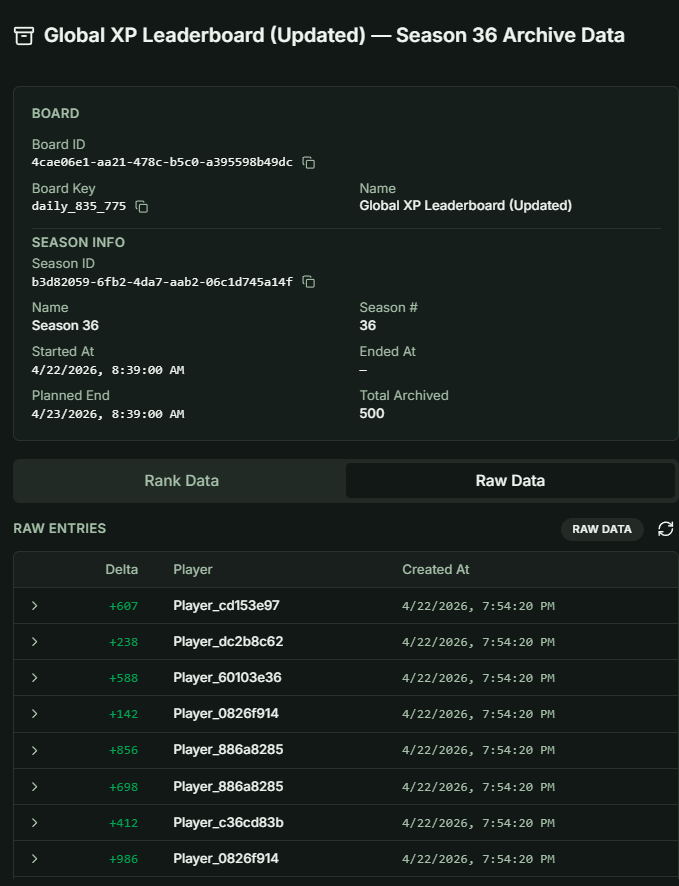
When you click this icon, a panel will display both the Raw Data and Rank Data for the current active season:
- Rank Data: At specific intervals, the system processes the raw data to calculate the current player standings. This data is dynamic and will continue to change until the season ends.
- Raw Data: This consists of the raw scoring events collected during gameplay.
 |  |
|---|
Expanded View & Season History
Expand any leaderboard row to access advanced management options and the season history list.
Creating Seasons
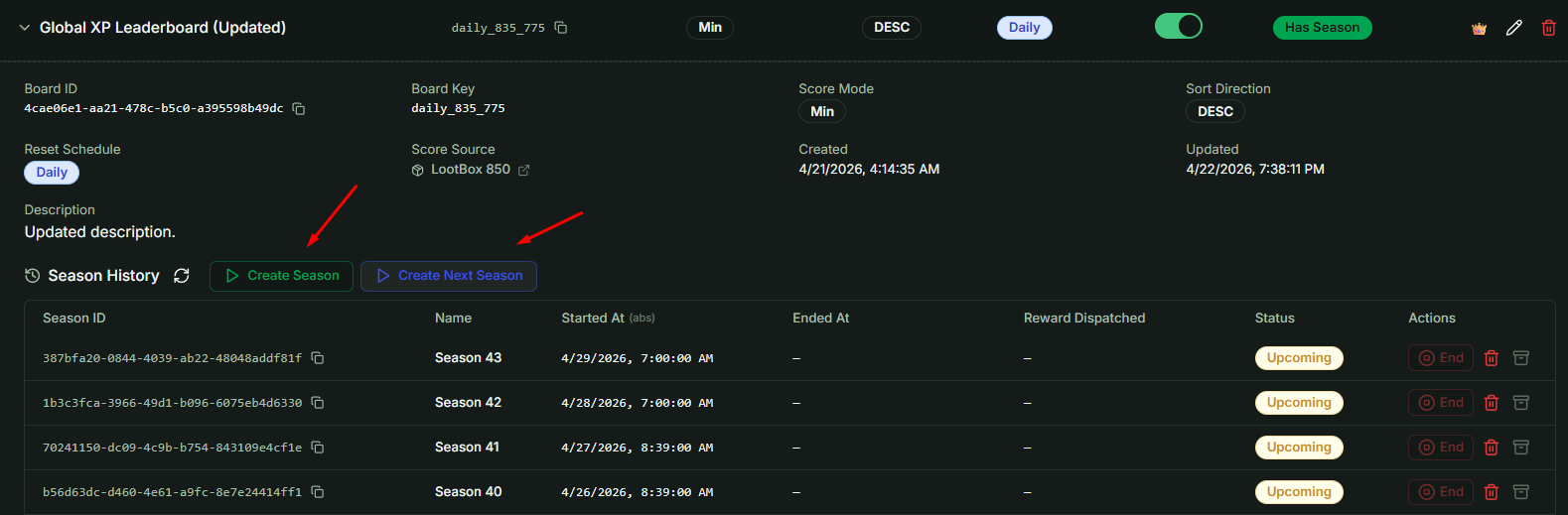
Depending on your Reset Schedule, the system may automatically pre-create one or more Upcoming seasons. You can also manage seasons manually:
- Create Season: Opens a form to create a custom season.
- Create Next Season: Automatically calculates the start time based on the previous season's end date and your specific Reset Schedule.
Season Management Rules
- Upcoming Seasons: Can be deleted if plans change.
- Active & Ended Seasons: Cannot be deleted to preserve data integrity.
- Archive Data: For Active and Ended seasons, you can access the Archive panel. This interface is identical to the Current Season Data view; however, Archive data is static and will no longer change.
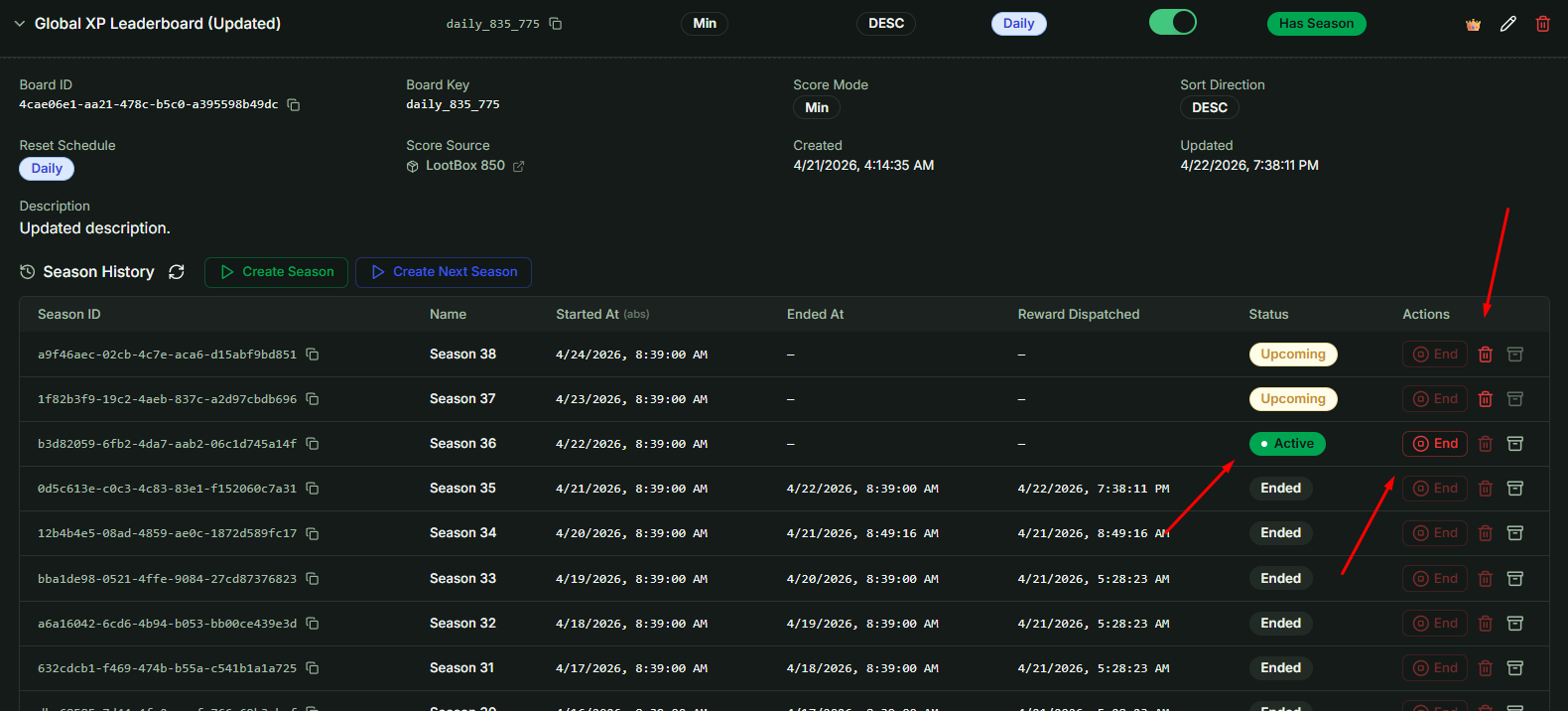
Important: The Season History list displays a maximum of 25 seasons. Please keep this limit in mind when pre-creating future seasons.