
Journey and Node
Master player behavior by mapping custom events and session data using visual Journey Nodes.
Visualizing Game Analytics with Journey Nodes
The Journey system provides a powerful visual overview of player behavior, allowing you to map out game progression and analyze engagement patterns. Use this guide to set up your first Journey and visualize session data.
Setting Up Your First Journey
To fully experience the power of the Journey system, start by generating test data from your game client.
- Create Events: Define 5 to 8 unique Event Types for your game.
- Trigger Activity: From your game client, trigger these events for a test player.
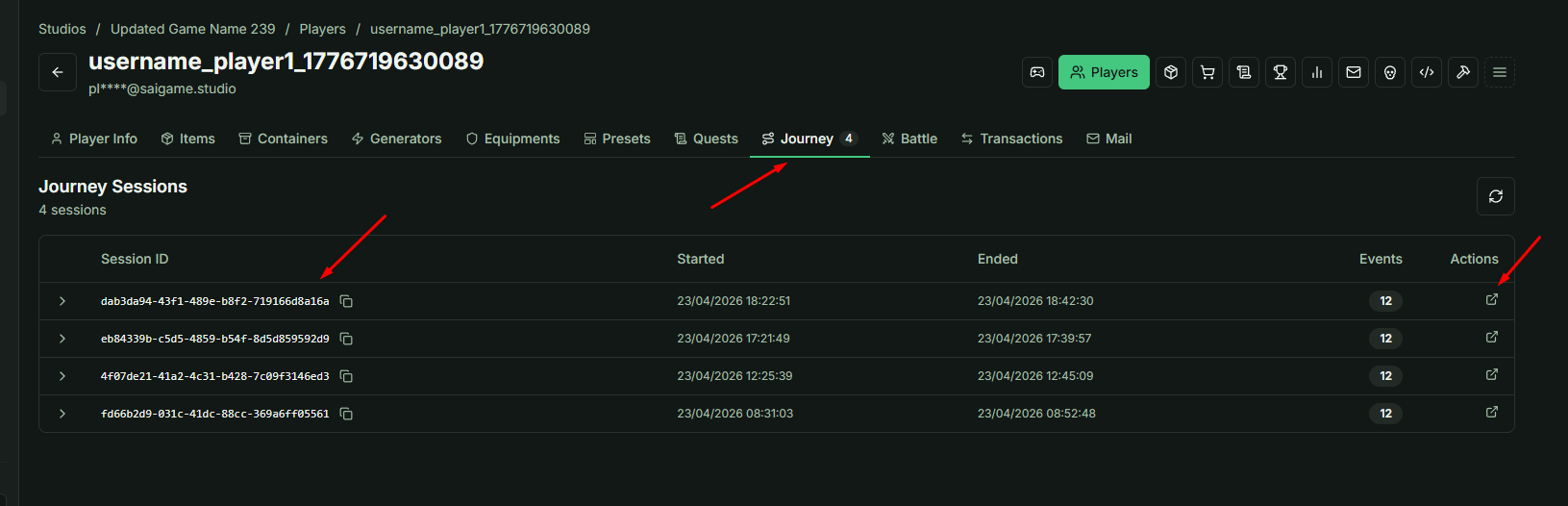
- Navigate to Analytics: Go to the player's profile, open the Journey tab, and click the Action link. This will redirect you to the Game Analytic Journey page.
Configuring the Journey Map
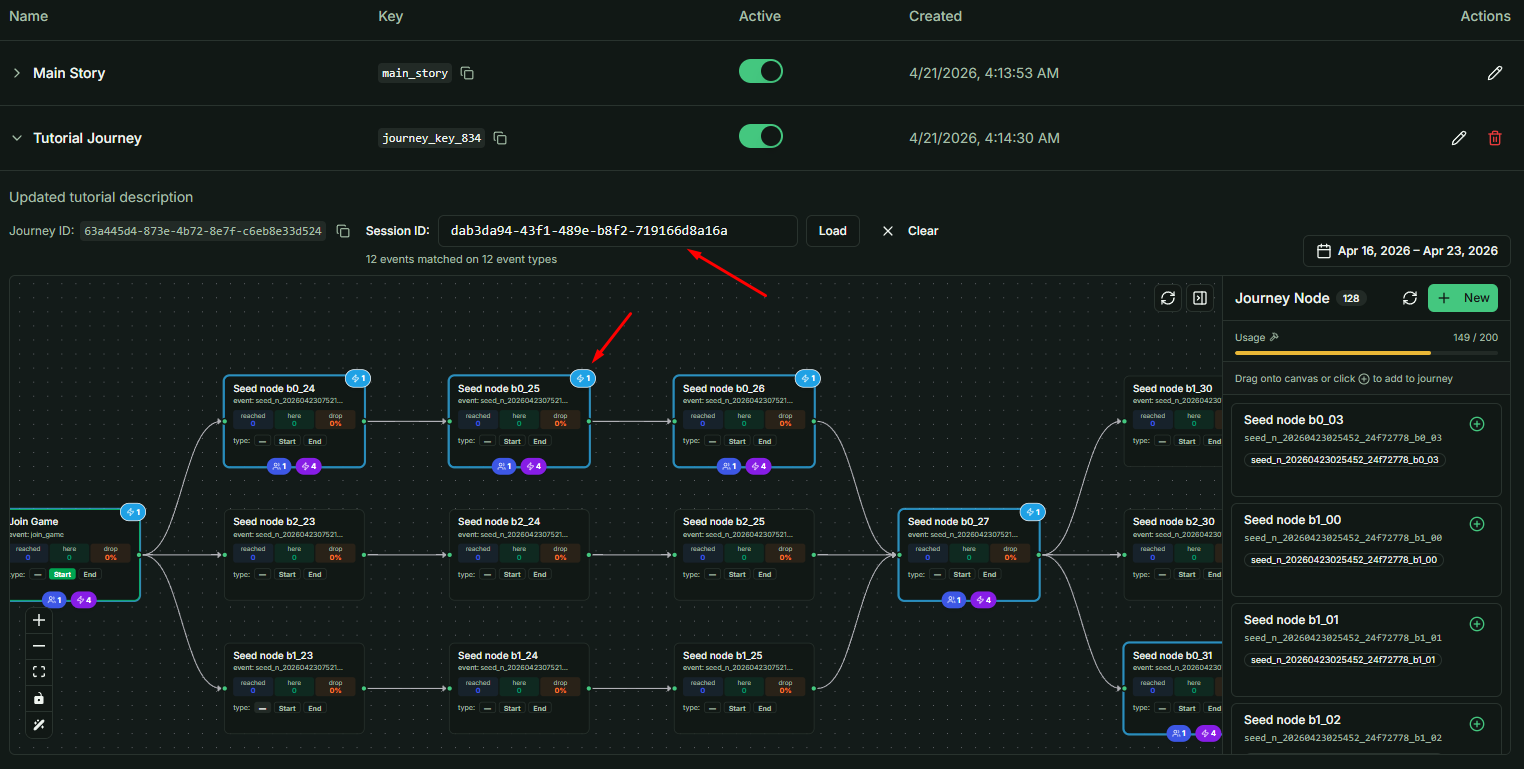
You can utilize the default Main Story journey (available to all games) or create a new Journey with a custom name.
Session Integration
Because you accessed the Game Journey page via a specific Player Journey session, the Session ID will be automatically populated. This filters the data to show that specific player's path.
Working with Journey Nodes
On the right side of the Journey interface, you will see the Journey Node list.
- Create Nodes: Add new nodes for each Event Type you triggered in your test session.
- Place Nodes: Drag and drop these nodes onto the Journey canvas (where
join_gameandendingnodes are located).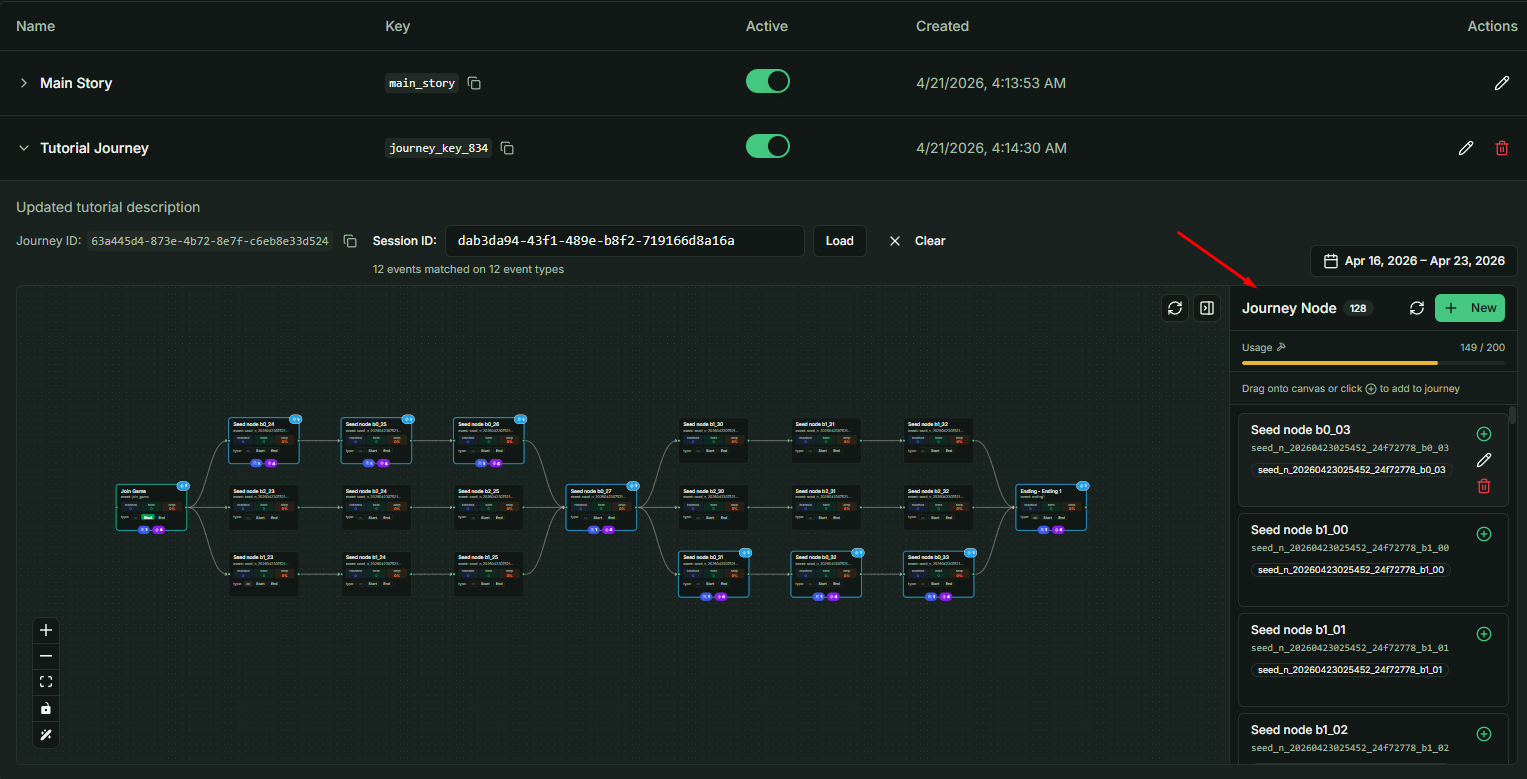
Mapping Logic and Connections
Once your nodes are on the canvas, you can define the relationships between them:
- Sequential Paths: Drag lines between nodes to create a linear story.
- Branching Logic: Create multiple paths to visualize different player choices or endings.
- Unlinked Nodes: You may also leave nodes unlinked if you simply wish to track individual event frequency.
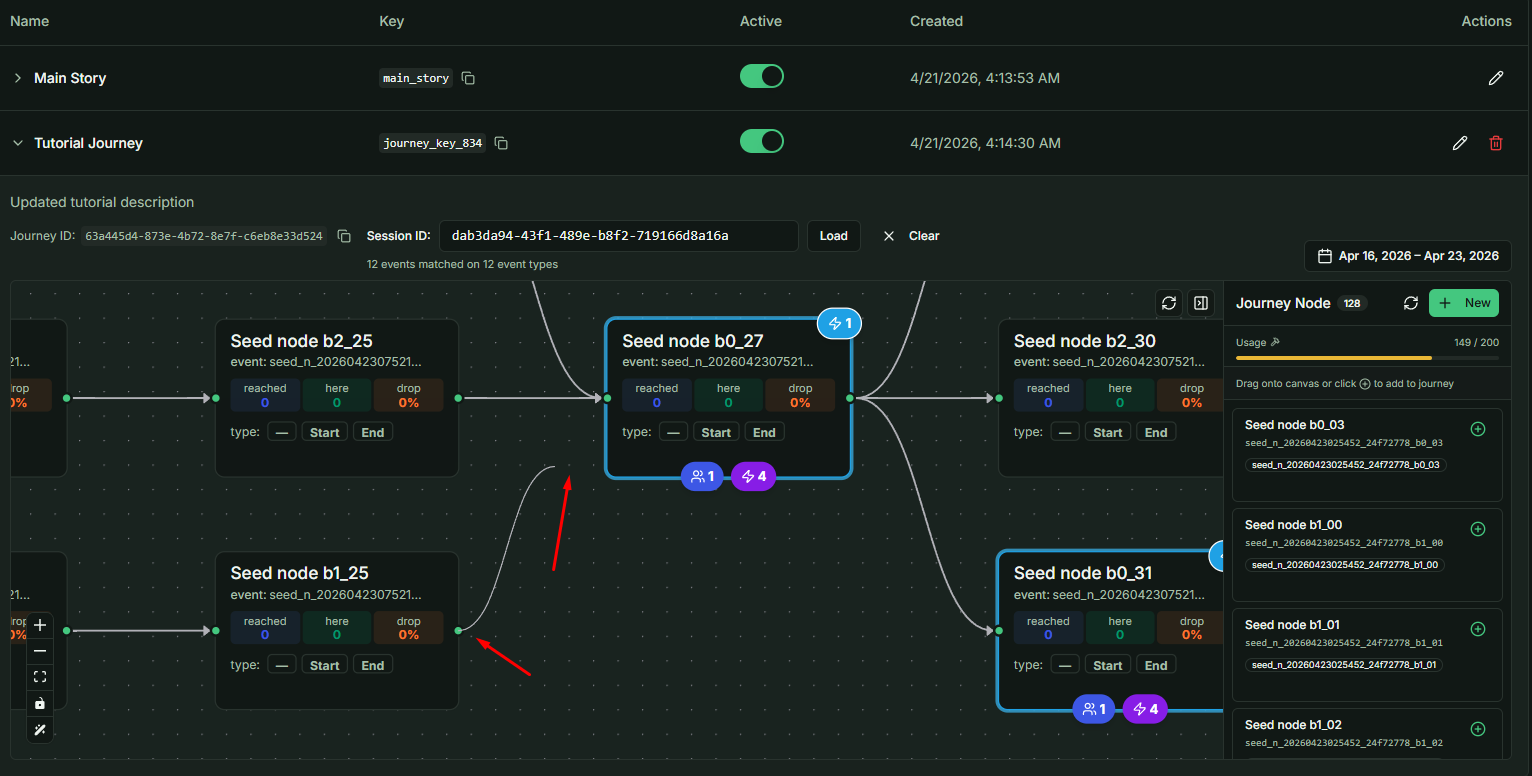
Important: After organizing your layout, you will see the session data visualized directly on the map, providing an intuitive view of the player's progression.
Analytical Use Cases
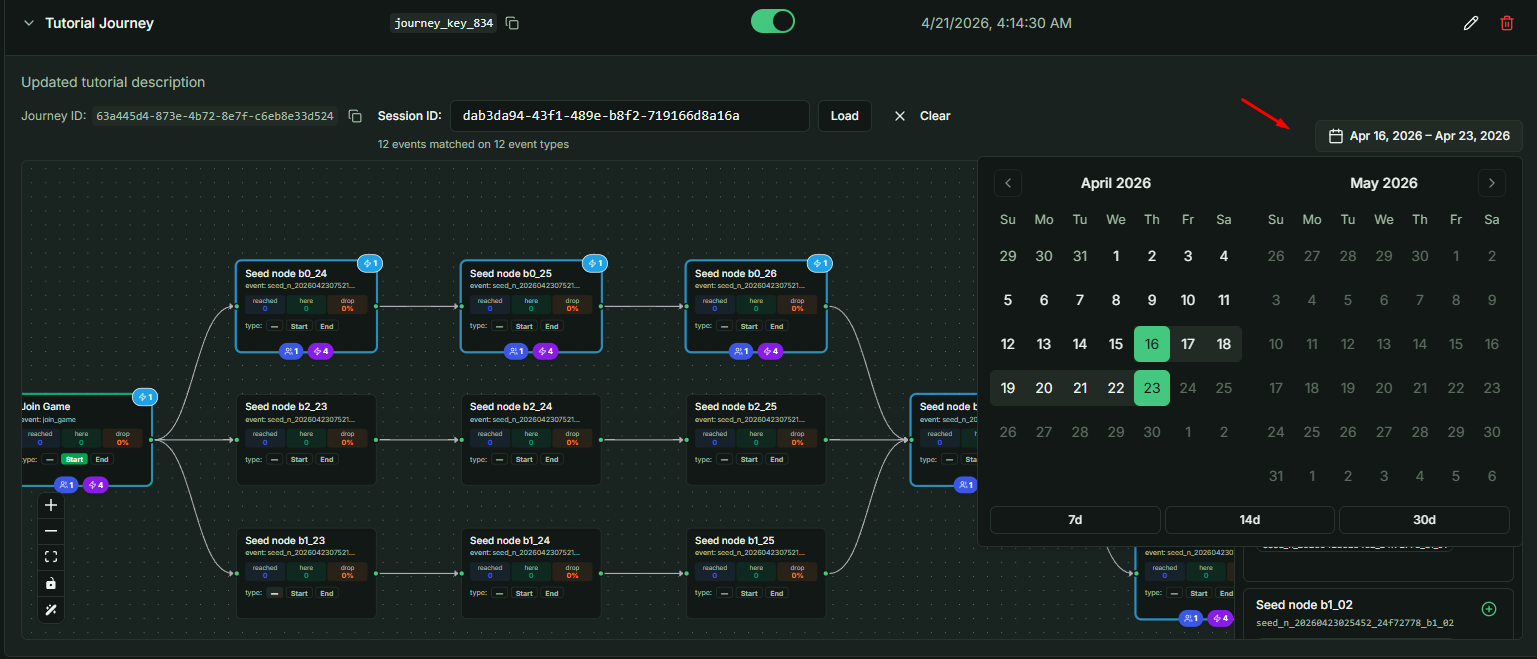
By default, the map displays aggregated data from all players. You can use the Time Range filter to narrow down specific periods.
Common Implementation Strategies
- Boss Progression: Map bosses from easiest to hardest to identify where players struggle or drop off.
- Economy Tracking: Monitor item acquisitions or Gacha pack openings.
- Testing Oversight: During Close Beta or testing phases with thousands of users, Journey Nodes provide a high-level summary of tester behavior and game balance.
Note: There are no limits to how you structure your Journey; it is designed to adapt to any tracking requirement, from narrative flow to granular technical logs.