
Group by Preset
This guide explains how to use the Item Preset system to manage team formations, deck building, and other grouping requirements.
1. Overview and Use Cases
In turn-based games, players often need to form squads or teams for battle. Similarly, in card games (TCG), players need to build decks consisting of 30 to 50 cards. The Preset system is designed to handle these scenarios by allowing players to group specific items together for different purposes.
2. Technical Definitions & Limits
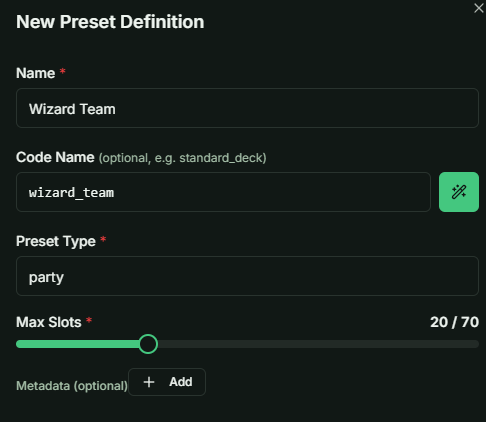
From a development perspective, setting up a Preset is straightforward. You only need to define:
- Name & Code Name: Identifiers for the preset type.
- Preset Type: Categorization for your logic (e.g., "Battle Squad" or "Card Deck").
- Slot Count: The number of available slots within the preset.
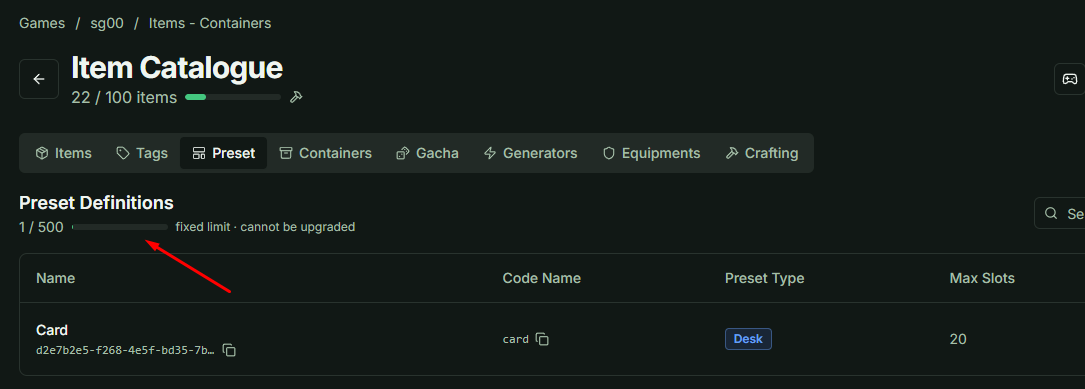
System Limits:
- Global Limit: Each game is limited to 500 defined Presets.
- Resource Impact: Presets do not consume your "Item Definition" usage limits. This limit is fixed and cannot be upgraded.
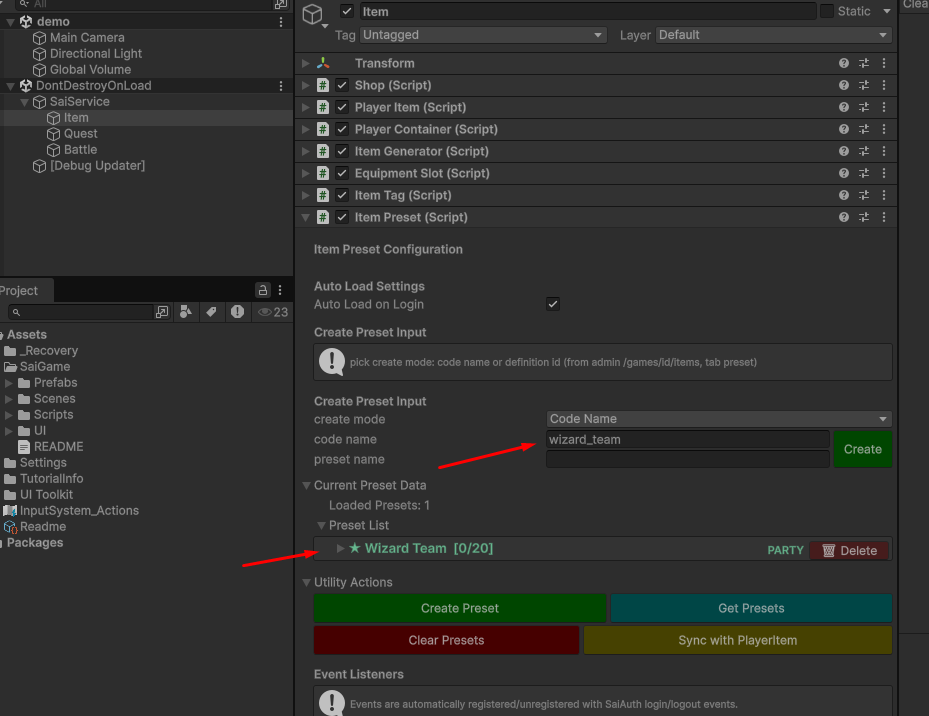
3. Unity Integration: Creating Instances
The Game Client can generate specific instances of these presets using the ItemPreset class, allowing players to assign custom names to their saved configurations.
Managing Items in Slots
To facilitate testing and development within the Unity Inspector:
- Sync Player Inventory: Use the Sync Player Inventory button to load the player's current items.
- Once synced, you can directly add items to the preset slots.
- Don’t forget to choose Target Slot Index.
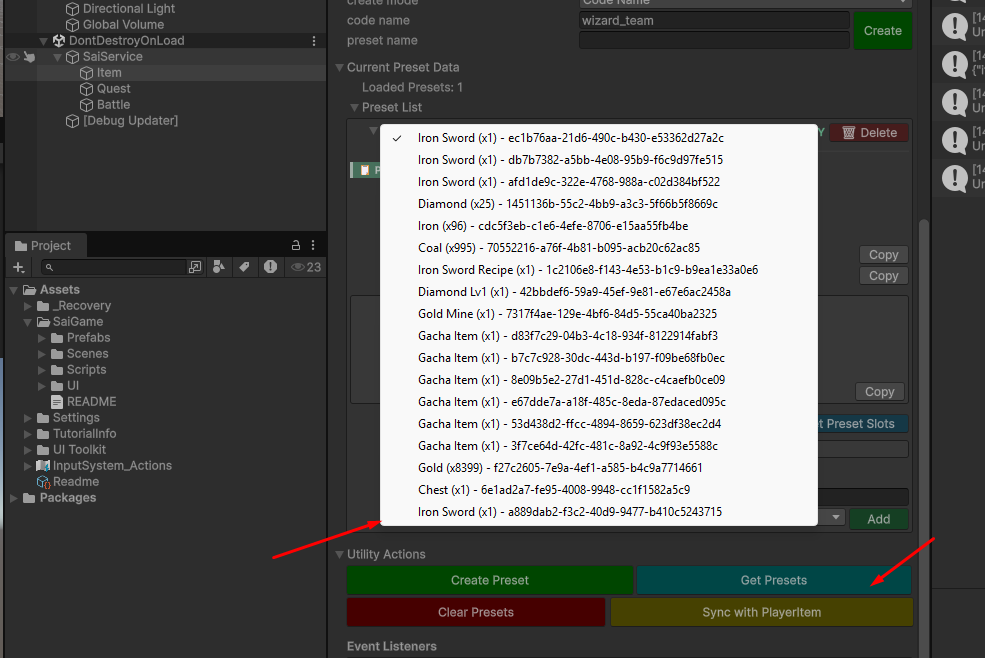
- Data Dependency: If you call Get Preset Slots without first syncing with
PlayerItemdata, the items in the slots will appear as "Unknown Item".
- When building your production UI, treat the
PlayerItemlist as a database. Use the Instance ID provided by the preset slot to look up the full item details from the player's inventory.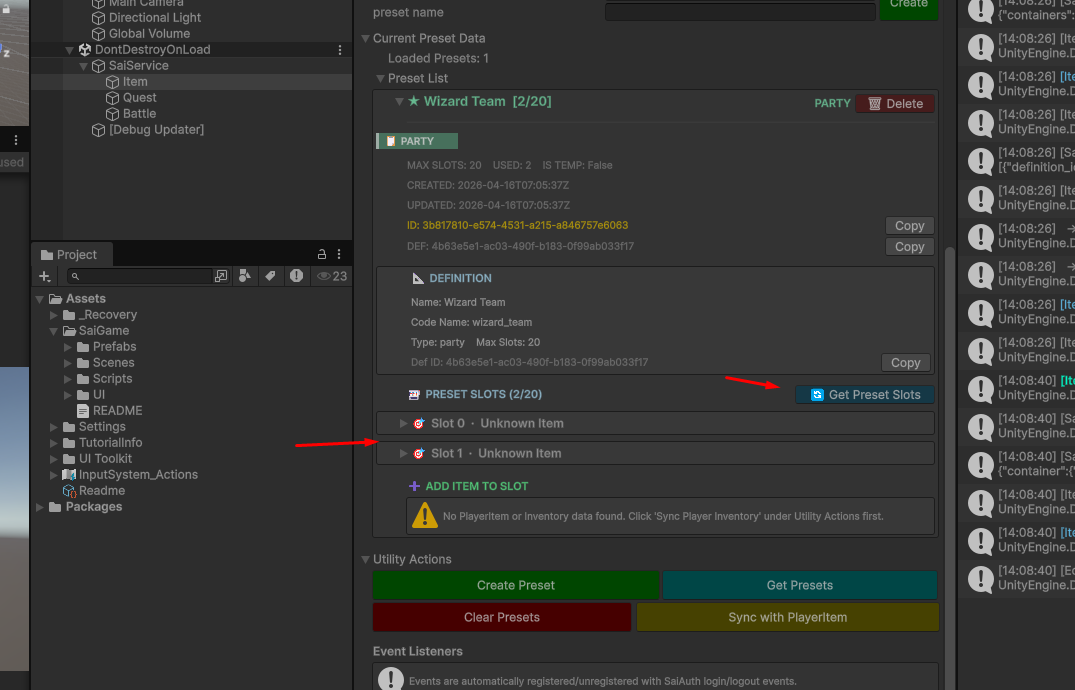
4. Deletion Logic
It is important to note that deleting a Preset does not delete the items contained within it.
A Preset acts only as a reference or a "folder" to group items. Removing the preset simply breaks the grouping; the actual items remain safely in the player's inventory.