
Event Type
This guide covers the configuration and implementation of event tracking within your game.
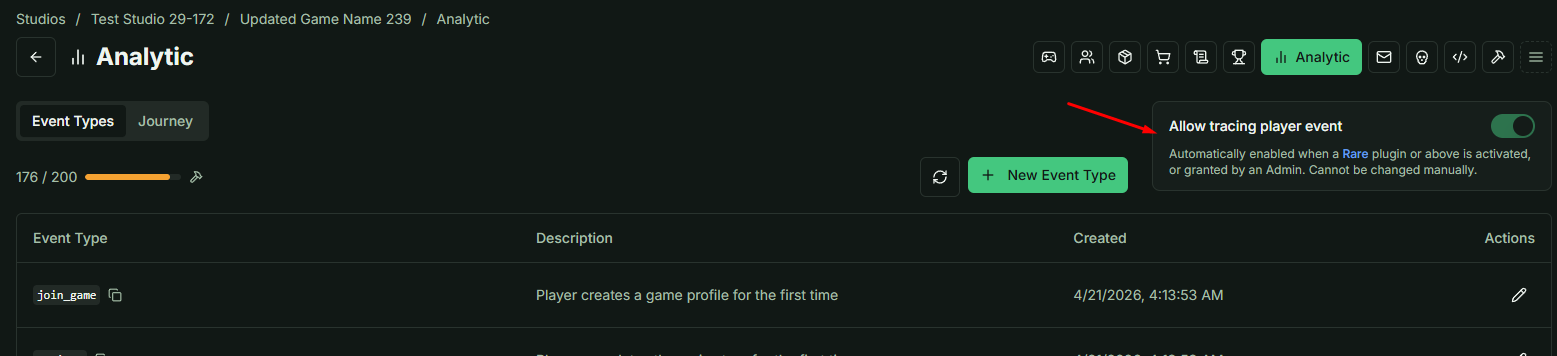
Leaderboard Tracing Status
The Leaderboard Tracing status indicator is located in the top-right corner of the dashboard.
- Activation: This feature activates automatically for games with a Rare subscription or higher.
- Manual Toggle: This toggle cannot be switched manually.
- Upgrading: Click the Rare link to visit the Plugins page if an upgrade is required.
Understanding Event Types
The Event Type system provides a robust player behavior analysis framework, compatible with both online and offline games.
Default Events
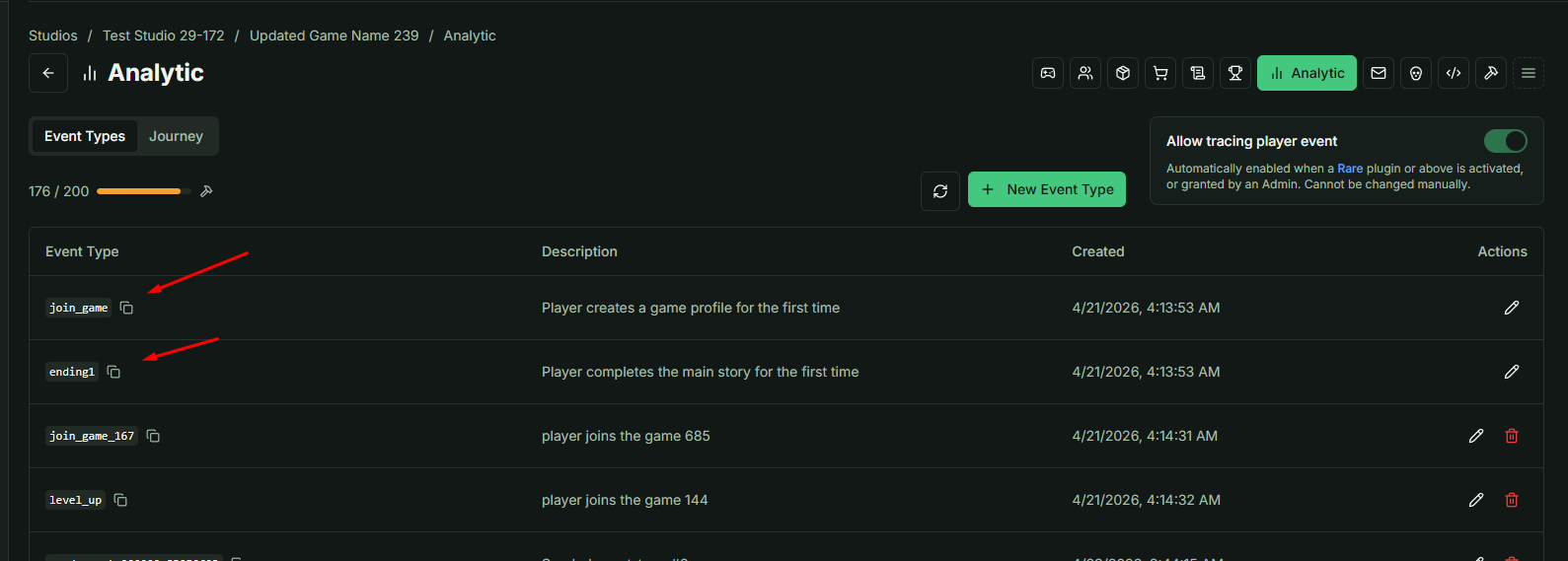
Every game includes two pre-configured events by default:
| Event Name | Trigger Logic |
|---|---|
join_game | Automatically registered when a gamer_progress is created. This only triggers once per player, even if progress is deleted and recreated. |
ending1 | Must be triggered via the game client when a player completes the first ending or defeats the final boss. |
Custom Events
You are not limited to default configurations. You can create additional events to track:
- Multiple game endings.
- Milestone achievements.
- Specific player interactions or shop purchases.
Implementation Logic
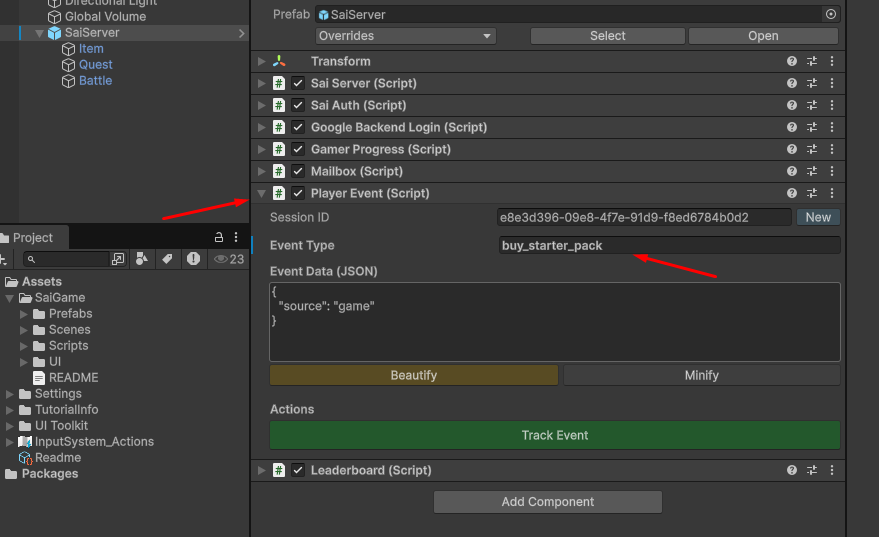
To trigger an event from the game client, utilize the PlayerEvent class. This class handles the transmission of activity data to the backend.
Key Parameters
- Event Data: Acts as metadata for the specific action.
- Session ID: Used to track a specific login session.
Important: While the Session ID is optional, we recommend assigning a unique ID to each gameplay instance to ensure granular tracking of player sessions.
Verifying Tracked Events
To test your implementation, follow these steps:
- Trigger an Event: Create or track an event from your game client.
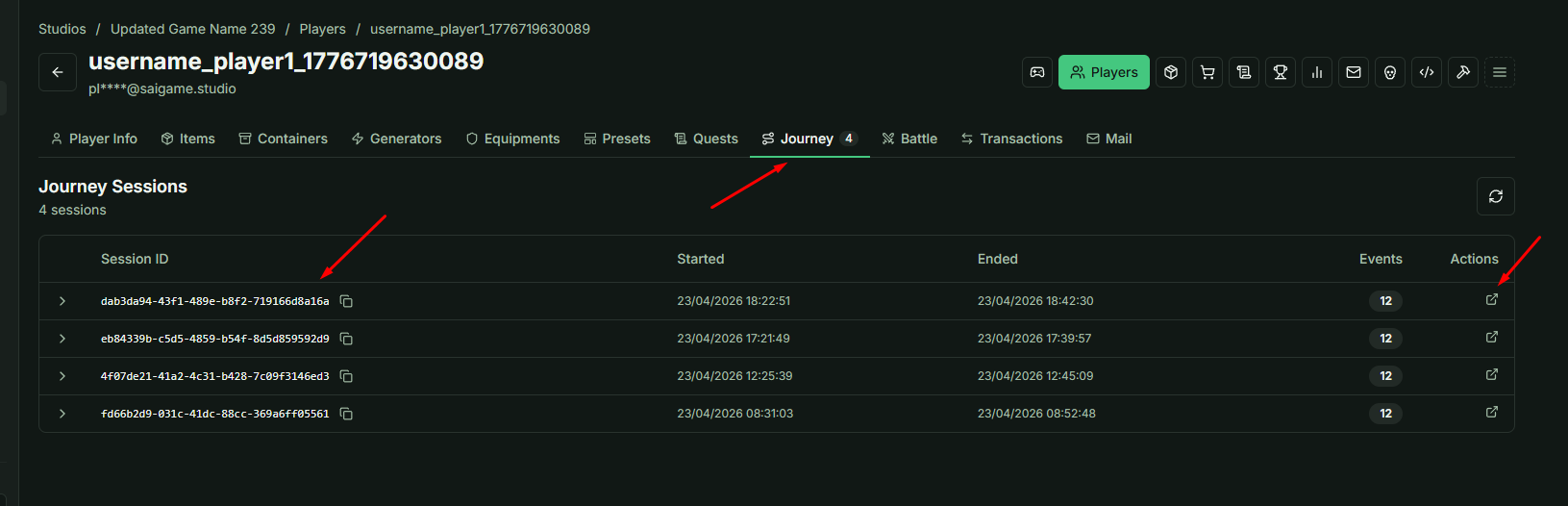
- Access Player Profile: Navigate to the profile of the test player.
- Journey Tab: Switch to the Journey tab to view a chronological list of player sessions.
- View Events: Within each session, you can inspect the specific events tracked from the client.
Navigation
The Action column contains a direct link to the Journey page. A detailed breakdown of Journey logic will be covered in the subsequent lesson.