
Cross platform save
This guide explains how to manage player progression and utilize the flexible JSON storage system for cross-platform game saves.
Update Player Progress
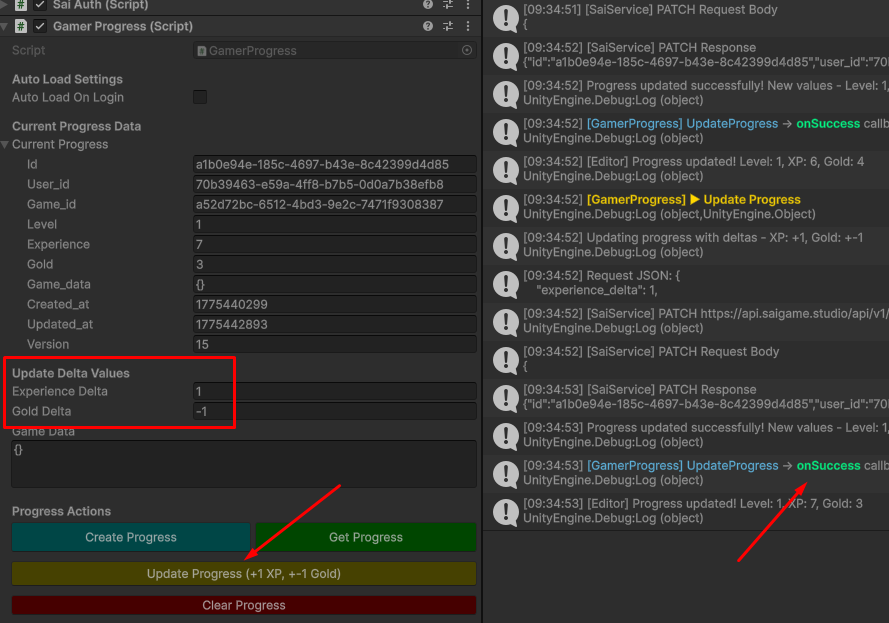
When a player has an active Gamer Progress profile, you can modify their primary attributes (Experience and Gold) using delta updates. This method ensures that values are incremented or decremented relative to their current state rather than being overwritten.
How to Update Values:
- Locate the Update Delta Values input section.
- Enter the specific amount you wish to add (positive integer) or subtract (negative integer).
- Click the Update Progress button to commit the changes to the database.
[!NOTE] Delta updates are processed server-side to prevent race conditions and ensure data integrity during concurrent sessions.
Cross-Platform Game Saves (JSON Data)
The system provides a schema-less JSON Data field, allowing you to store complex game states without rigid structures. This flexibility is the foundation for a seamless cross-platform experience.
Features:
- Schema Flexibility: Store any data structure (inventories, quest logs, world states) in a valid JSON format.
- Platform Agnostic: Since the data is stored as a standardized JSON string, it can be parsed by any engine or operating system.
- Universal Sync: A player can start their journey on Android, continue exactly where they left off on iOS, and eventually switch to PC or Console using the same cloud-hosted profile.
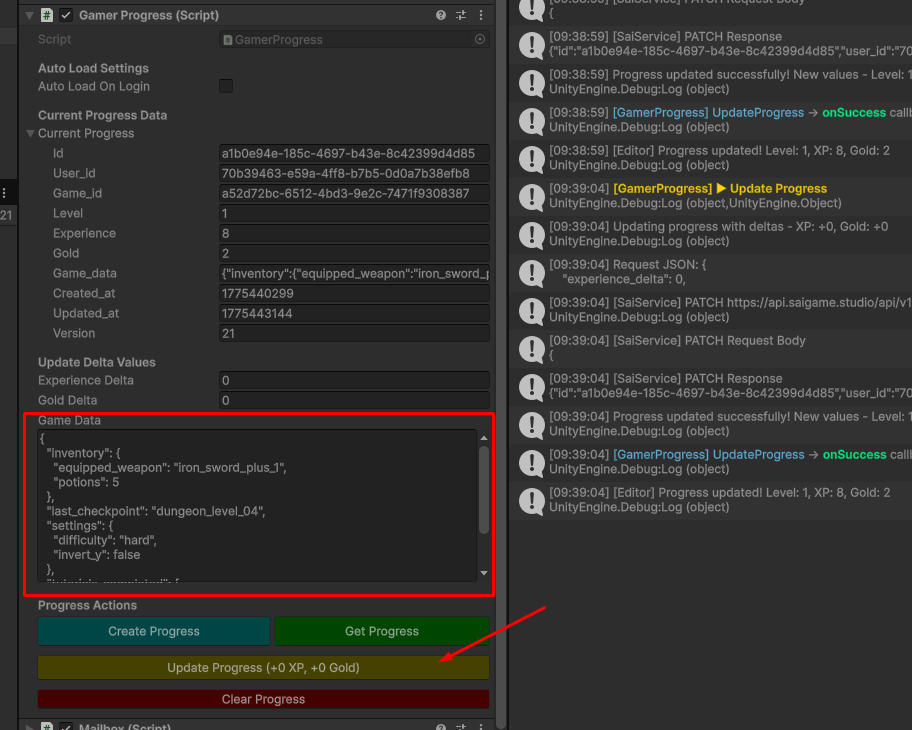
Sample Data Structure:
{
  "last_checkpoint": "dungeon_level_07",
  "inventory": {
    "potions": 5,
    "equipped_weapon": "iron_sword_plus_1"
  },
  "tutorials_completed": [
    "movement",
    "combat_basics"
  ],
  "settings": {
    "difficulty": "hard",
    "invert_y": false
  }
}