
Creating a craft recipe
This guide covers the technical setup and logic behind the Crafting Recipe system.
1. System Usage & Definition
Recipes have their own management page and do not consume any Usage units from your project's Item Definition limit.
- Limits: each recipe can have up to 7 input materials and up to 7 output items in total (Main and Bonus outputs combined).
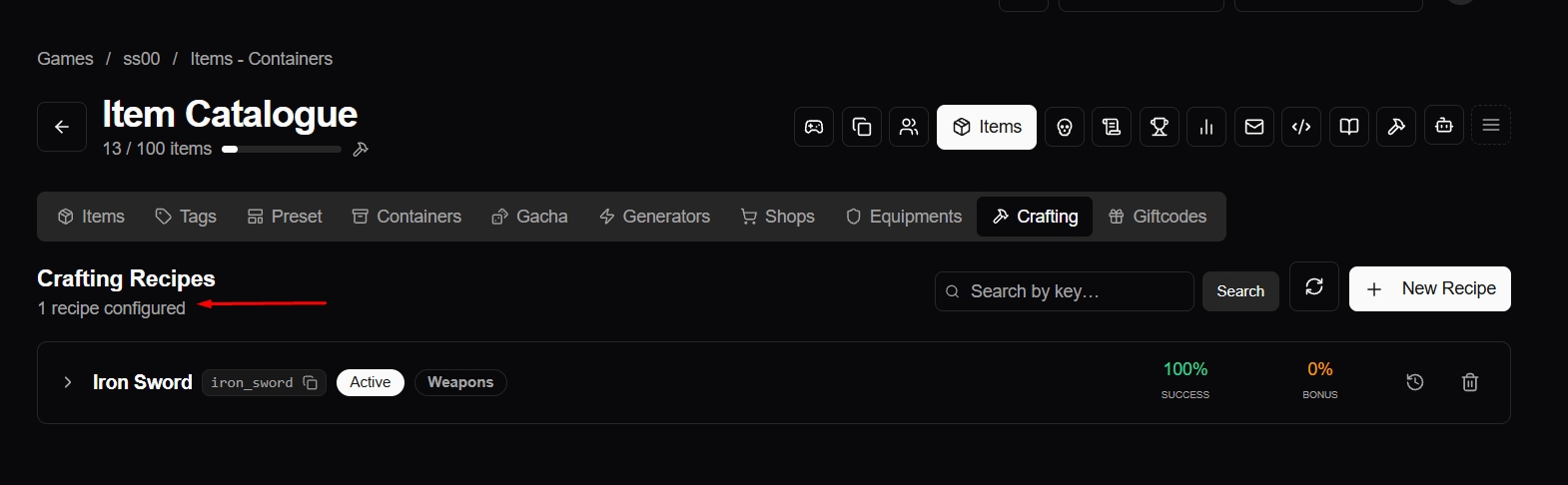
Note: A "Crafting Recipe" at the system level is a logical definition, not a physical item. While you can later create a specific Item with a "Recipe" category to act as a physical trigger, you must first establish the system-level recipe logic described here.
2. Recipe Categorization
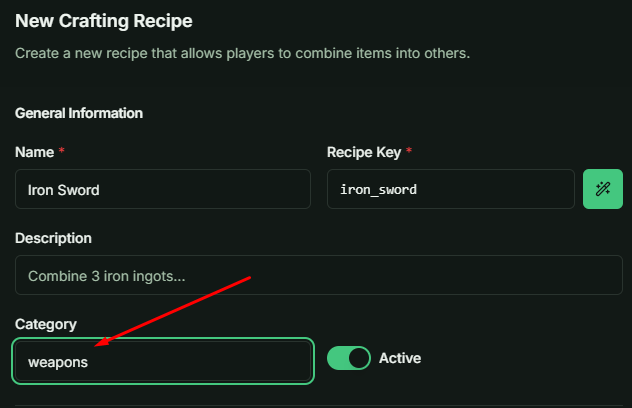
Unlike standard Item Categories, the Recipe Category is fully customizable. You are not restricted to predefined types, allowing you to classify recipes (e.g., "Blacksmithing," "Alchemy," "Cooking") in a way that best fits your game's architecture.
3. Success Rates and Output Types
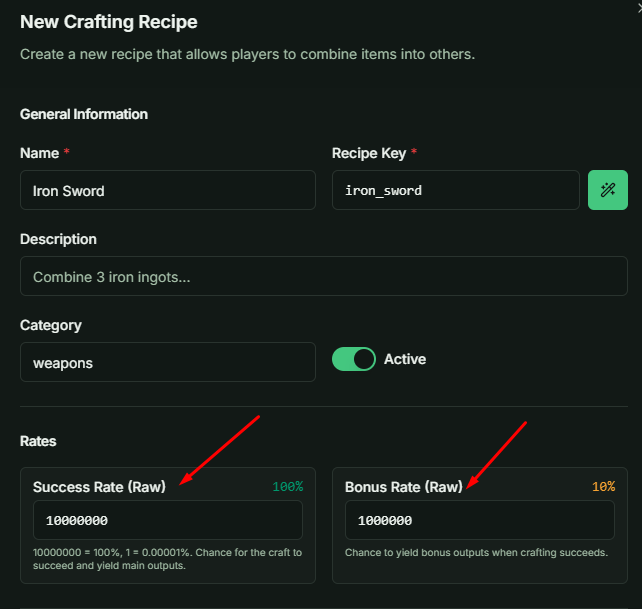
Every recipe features two distinct probability rates: Main Rate and Bonus Rate.
- Main Rate (Success Rate): Determines the probability of the primary crafting process succeeding. If the roll succeeds, all items listed in the Main Output section are granted.
- Bonus Rate: Governs the probability of receiving secondary or "side" products. The Bonus roll only happens when the Main roll succeeds; a failed craft never grants Bonus items.
- Example 1: In a merge game, merging 3 chickens has a 100% Main Rate to produce a higher-tier chicken, but a 1% Bonus Rate to grant a "Golden Chicken."
- Example 2: Crafting a sword might have a 10% Bonus Rate to refund 2 Iron Ingots back to the player.
4. Input Materials & Burn Logic
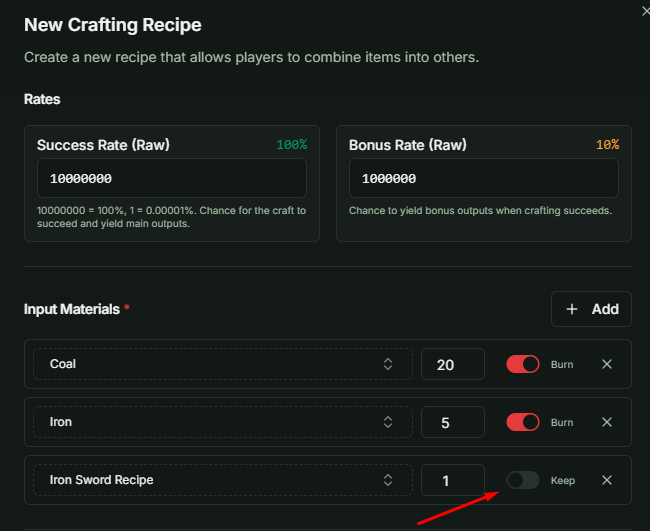
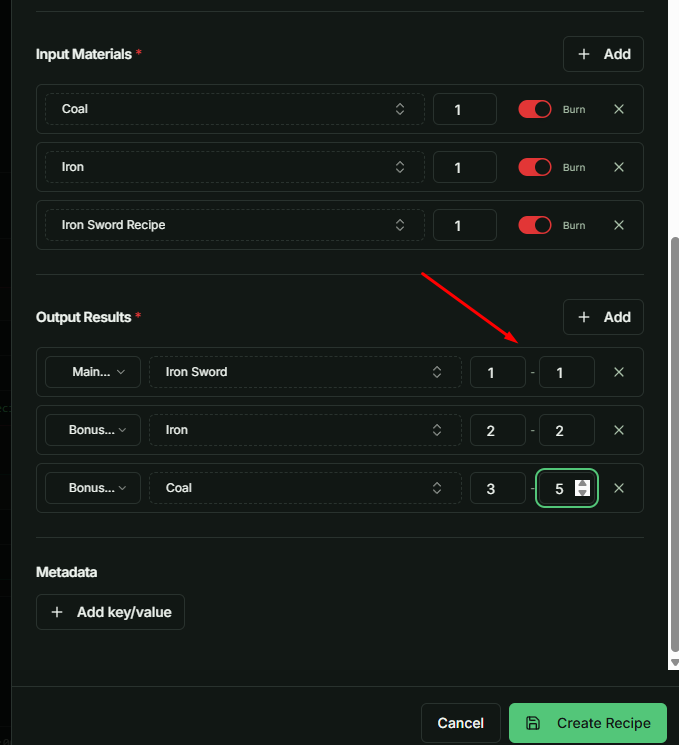
The Input Materials section defines the resources used by the craft.
- Quantity: Specify the exact amount for each material.
- Burn Toggle: Decides whether the server checks and consumes the material.
- Burn on: Before crafting, the server checks that the player owns at least the required quantity. If not, the craft is rejected with an "insufficient materials" error. The quantity is then deducted from the player's inventory.
- Burn off: The server neither checks nor deducts this material. The player can craft even without owning it, so do not rely on a Burn-off material to lock a recipe.
Important: Materials with Burn on are deducted whether the craft succeeds or fails. With a Main Rate below 100%, a failed attempt still costs the player all burned materials. Make this clear in your game UI.
5. Output Mechanics and RNG
Outputs are categorized into Main and Bonus pools.
- Quantity Range (Min/Max): This acts as a second layer of RNG. Even after a successful rate roll, the system will roll between the Min and Max values for each output item.
- All-or-Nothing Logic: If the Main Rate roll is successful, all items listed in the Main Output will be processed and granted (based on their individual Min/Max rolls). The same applies to the Bonus Output if the Bonus roll succeeds.
6. Maintenance & Status
You can toggle a recipe's status to Inactive during design phases or live maintenance.
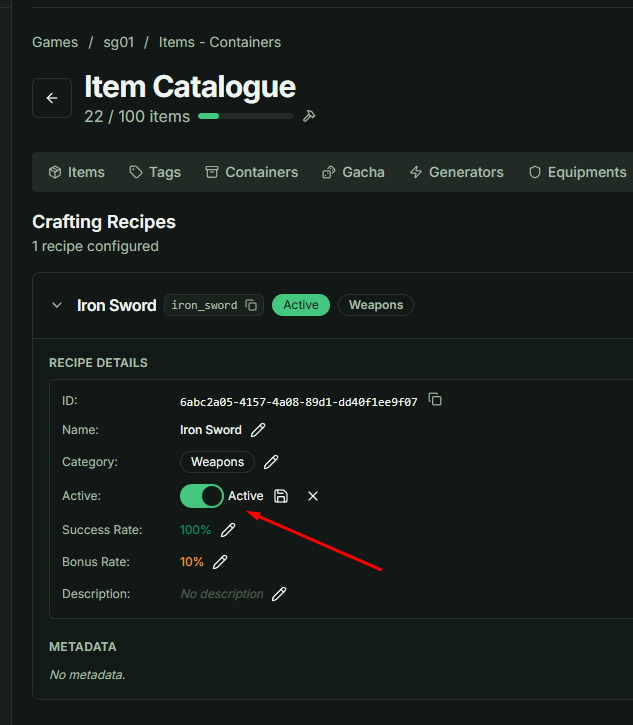
- Availability Window: A recipe can also have an optional Available From / Available Until time range. Outside this range the craft is rejected even if the recipe is Active, which is useful for event-only recipes.
- Best Practice: Ensure your Game Client is programmed to handle the "Inactive Recipe" and "Recipe Not Available" error codes sent from the server to provide a smooth user experience (e.g., showing a "Currently Unavailable" message to the player).