
Create Gamer Progress
This is how to Create Gamer Progress for Players.
1. Unified Account System
- Universal Login: The account used to create Games and Studios can also be used to log in and play your games.
- Initial Login: After assigning the Game ID to the
SaiServiceclass, use your developer account credentials to log in.
2. Managing Gamer Progress
-
Creating Progress: After a successful login, navigate to the
GamerProgressclass and click Create Progress. If the account is not yet registered with the game, you will receive a success notification.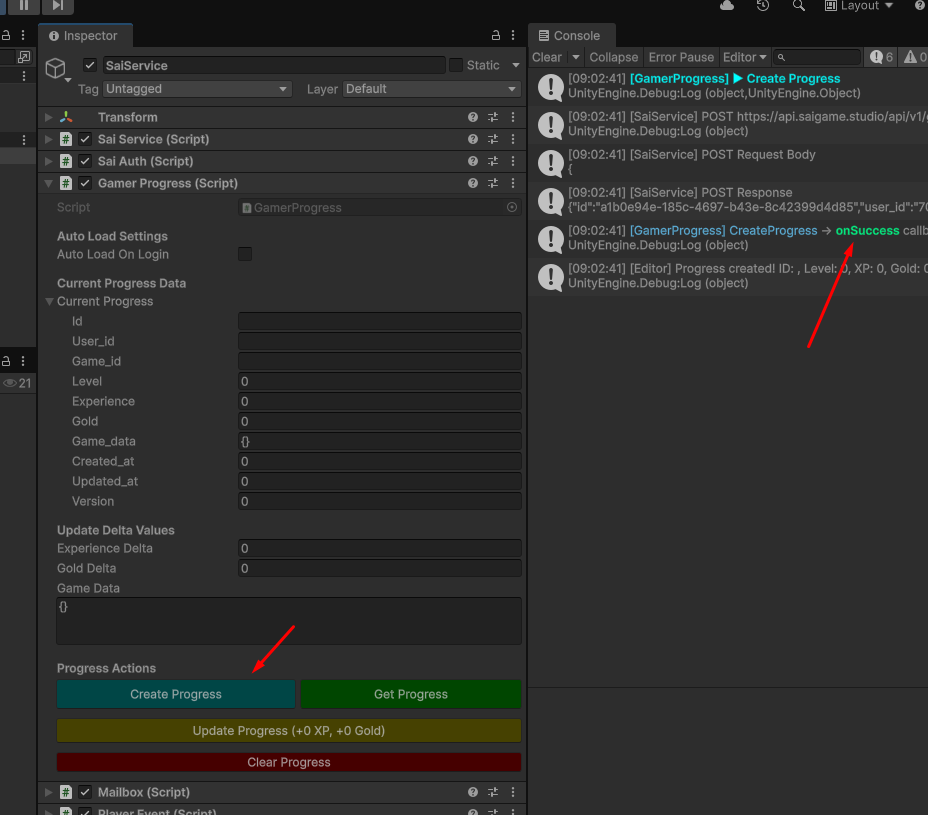
-
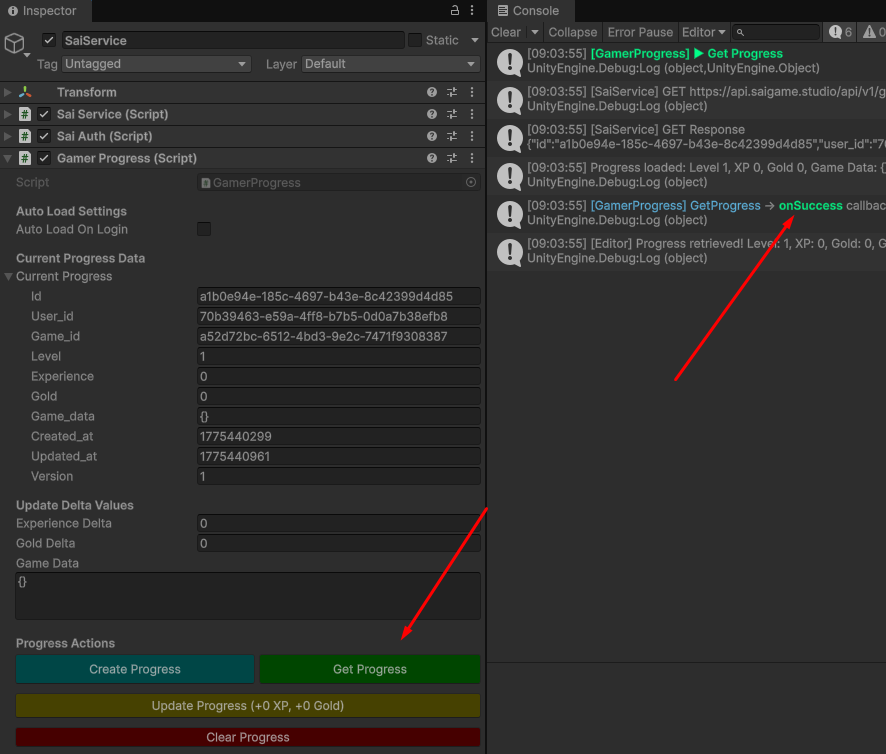
Data Retrieval: Once progress is established, you can call Get Progress to load your data into the game.
-
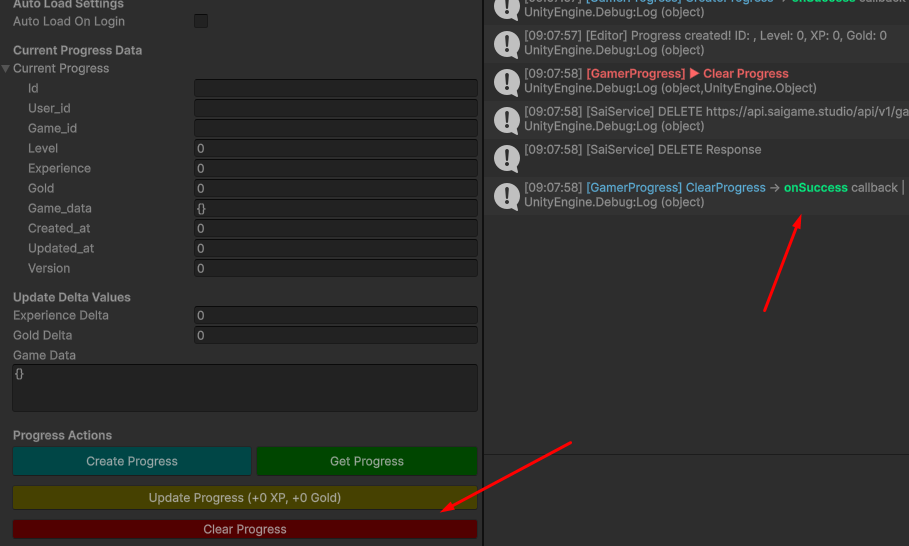
Clearing Progress: Use the Clear Progress button to delete your current game data.
⚠️ Warning: This action will permanently erase all gameplay history and cannot be recovered.
3. Profiles vs. Progress
-
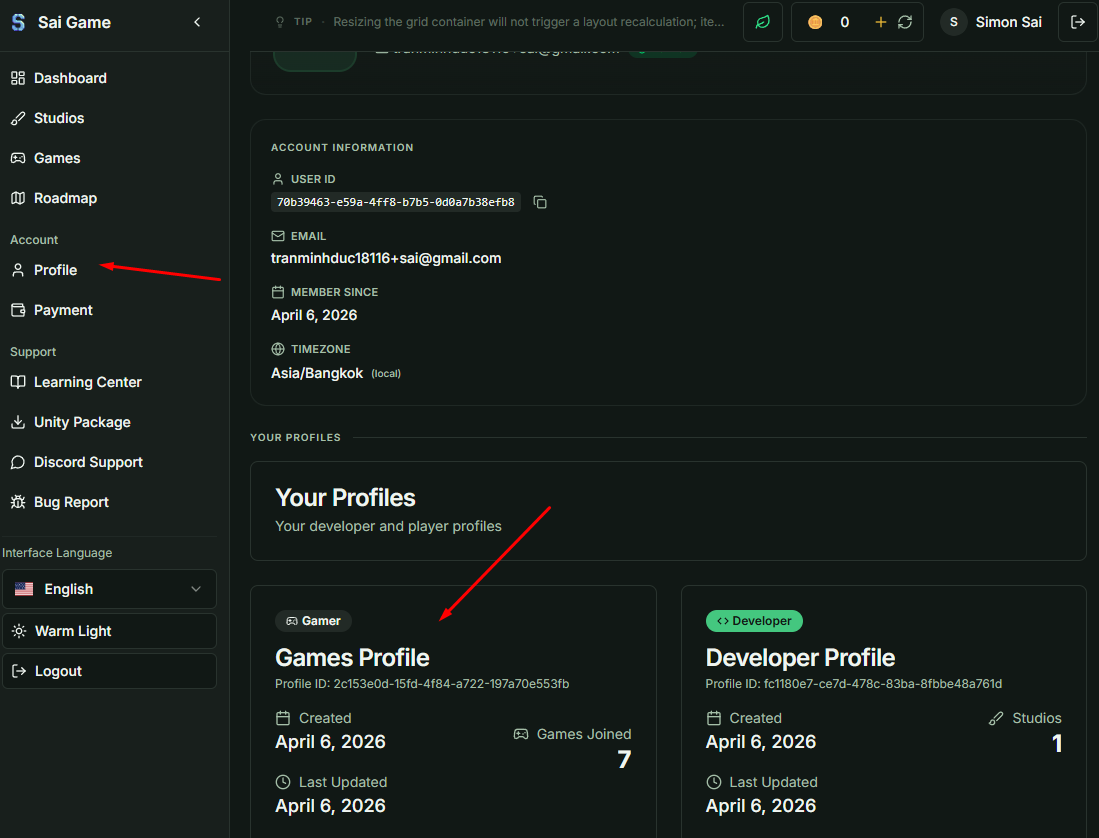
Automatic Registration: When a user joins any game for the first time, a system-wide Gamer Profile is automatically created for them.
-
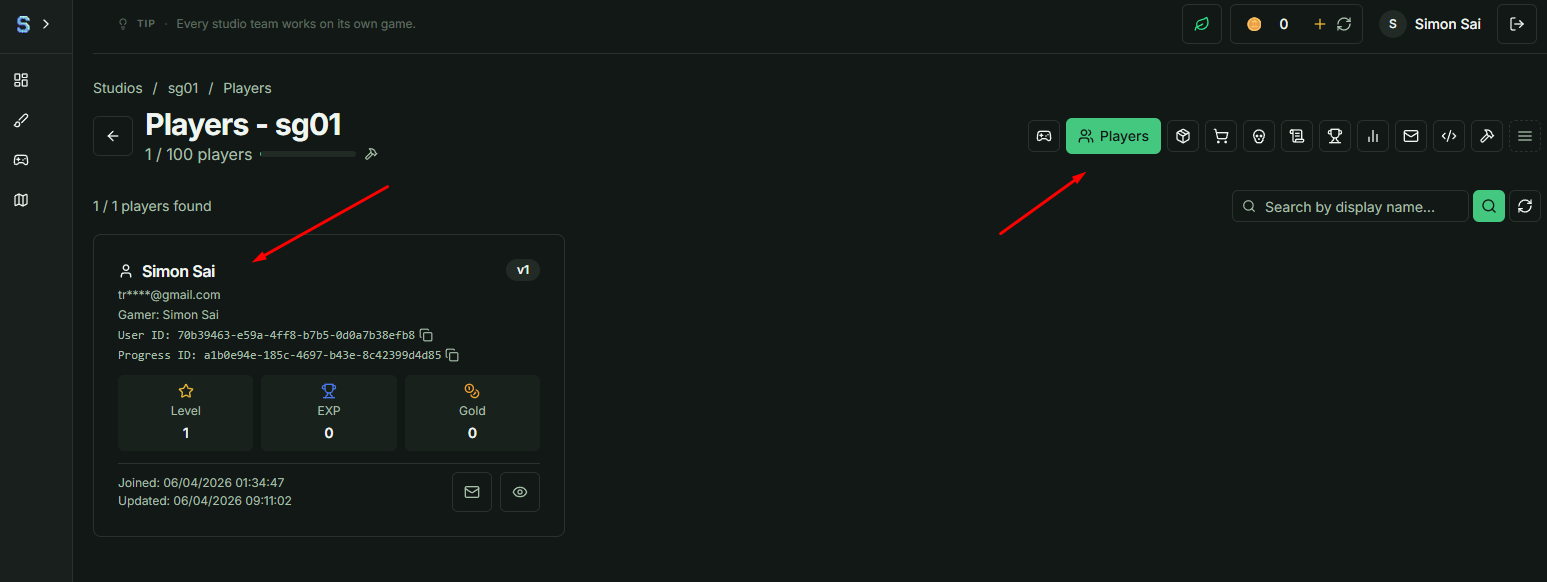
Player Management: You can locate a specific user's Gamer Progress under the Players section of your Game Dashboard.
-
Data Hierarchy: A single User has only one global Gamer Profile, but can maintain multiple Gamer Progress entries across different games.