
Create a Daily Quest Pool
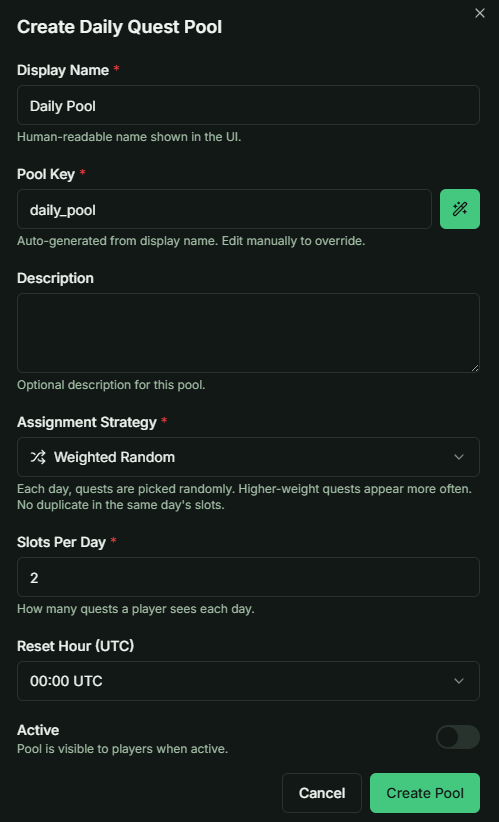
Define a Strategy to create a Daily Pool. Current support: Weighted Random and Weekly Schedule
1. General Configuration
For any pool, you can define the following core parameters:
- Slots Per Day: The number of quests assigned to a player each day.
- Reset Time: The specific time when the pool refreshes and new quests are generated.
Example Case: In this guide, we will create a pool of 14 Daily Quests, but set the system to randomly select only 2 quests per day for the player to complete.
2. Weighted Random Strategy
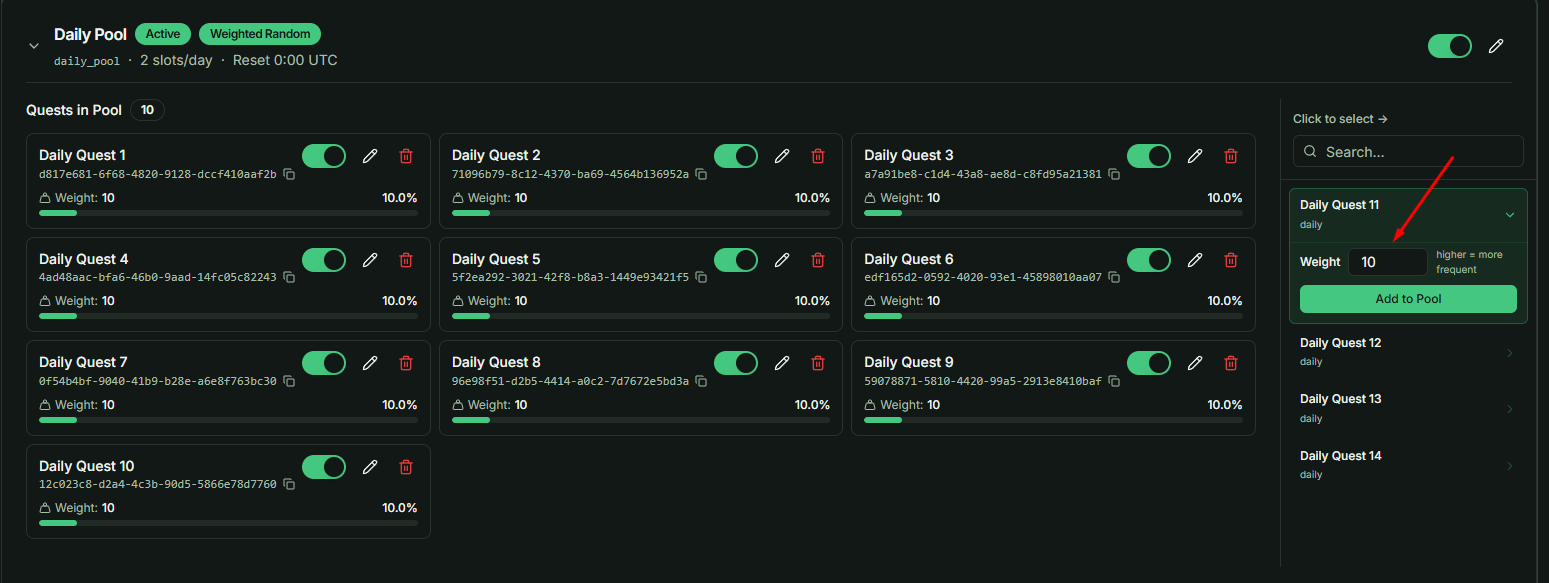
When adding quests to a standard Daily Pool, you must assign a Weight to each:
- The Logic: Higher weights increase the probability of that specific quest being selected.
- Visual Aid: For a more intuitive understanding of how these probabilities are calculated, please refer to the Strategy Guide Tab.
3. Weekly Schedule Strategy
A Weekly Schedule organizes quests by specific days of the week (Monday through Sunday).
- Sub-Pool Logic: Think of each day within the Weekly Schedule as a "mini-pool."
- Slot Constraints: If you assign 5 quests to Sunday but set the Slots Per Day to 2, the system will randomly select 2 quests out of those 5 for that specific Sunday.
- Reusability: Unlike the standard Daily Pool, quests added to a Weekly Schedule do not disappear from your available quest list. This allows you to drag and drop the same quest into multiple different days (e.g., the same quest can appear on both Monday and Friday).
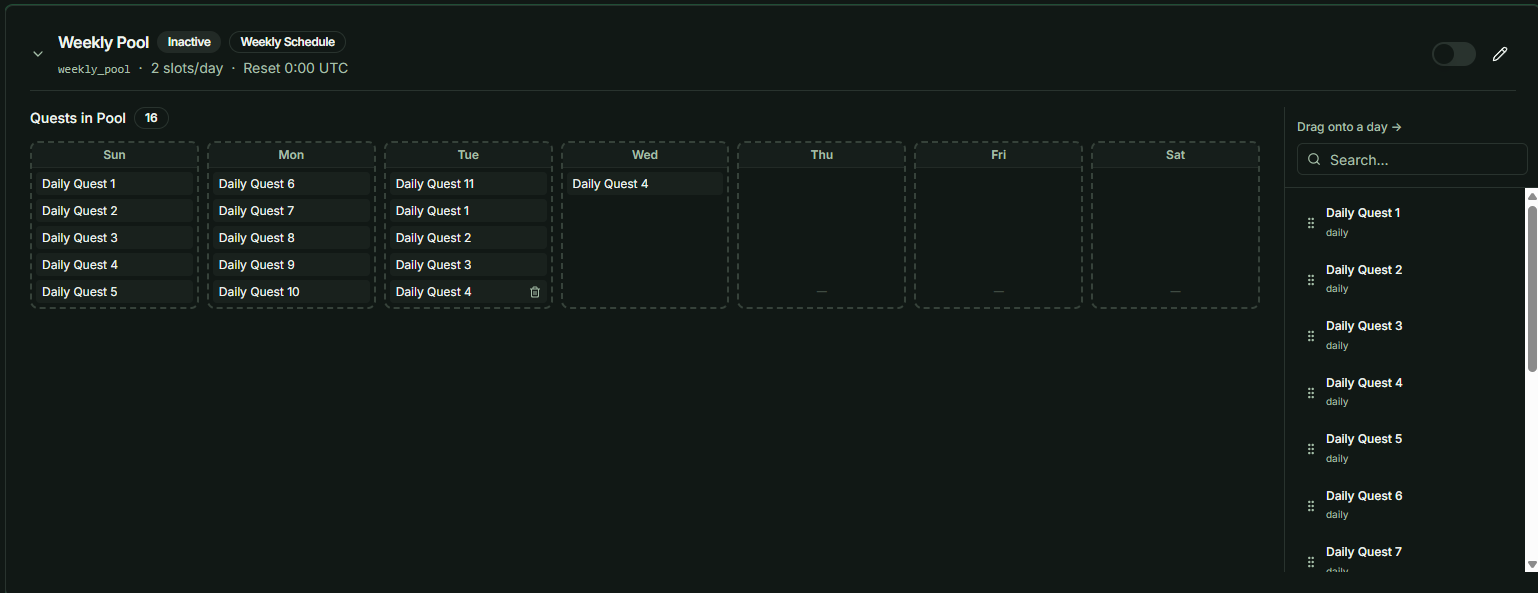
Developer Tip: Use Weighted Random for variety and "surprise" elements, while Weekly Schedule is best for themed days (e.g., "Resource Sundays") or specific event-driven quest cycles.