
Create a Chain Quest
Chain Quests allow you to build complex, linear, or branching narratives.
1. Preparation: Create Your Quest Definitions
Before you start building a story, you must have several one_time quest definitions ready. These will act as the "nodes" in your story.
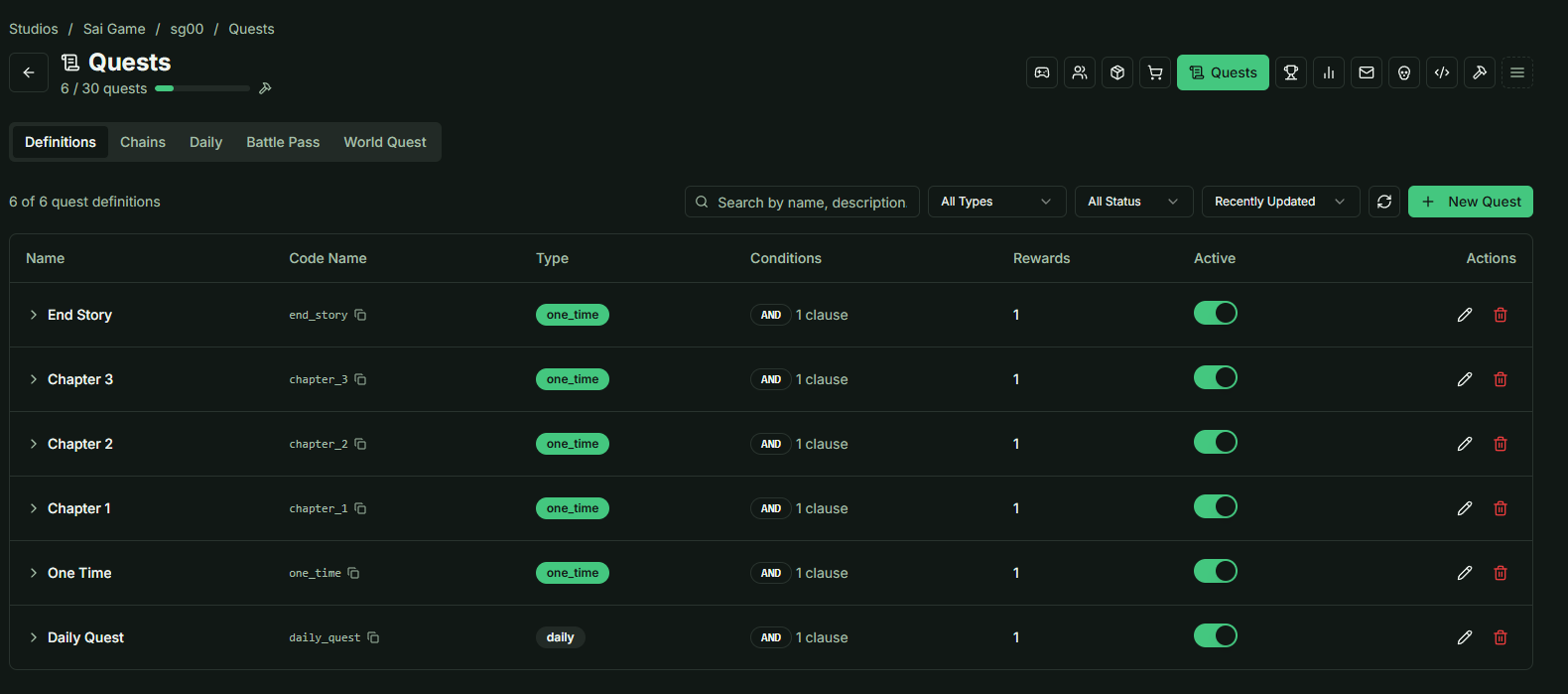
💡 Pro Tip: If you don't have a specific concept yet, feel free to use standard templates (e.g., "Meet the Elder," "Slay 5 Slimes," "Deliver the Letter").
2. Setting the Chain Type
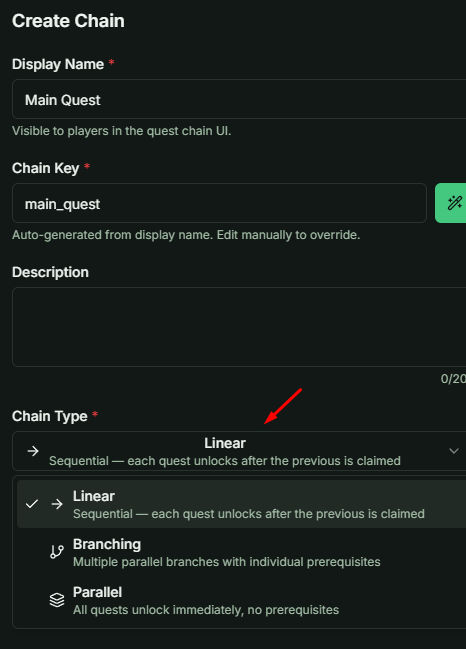
When creating a new Chain Quest, you can select a Chain Type.
- Note: This type is purely informational (metadata) to help you organize and remember the purpose of the chain.
- Backend Logic: The backend does not process the Type differently. All functional story logic is determined by the Story Graph you design.
3. Working with the Story Graph
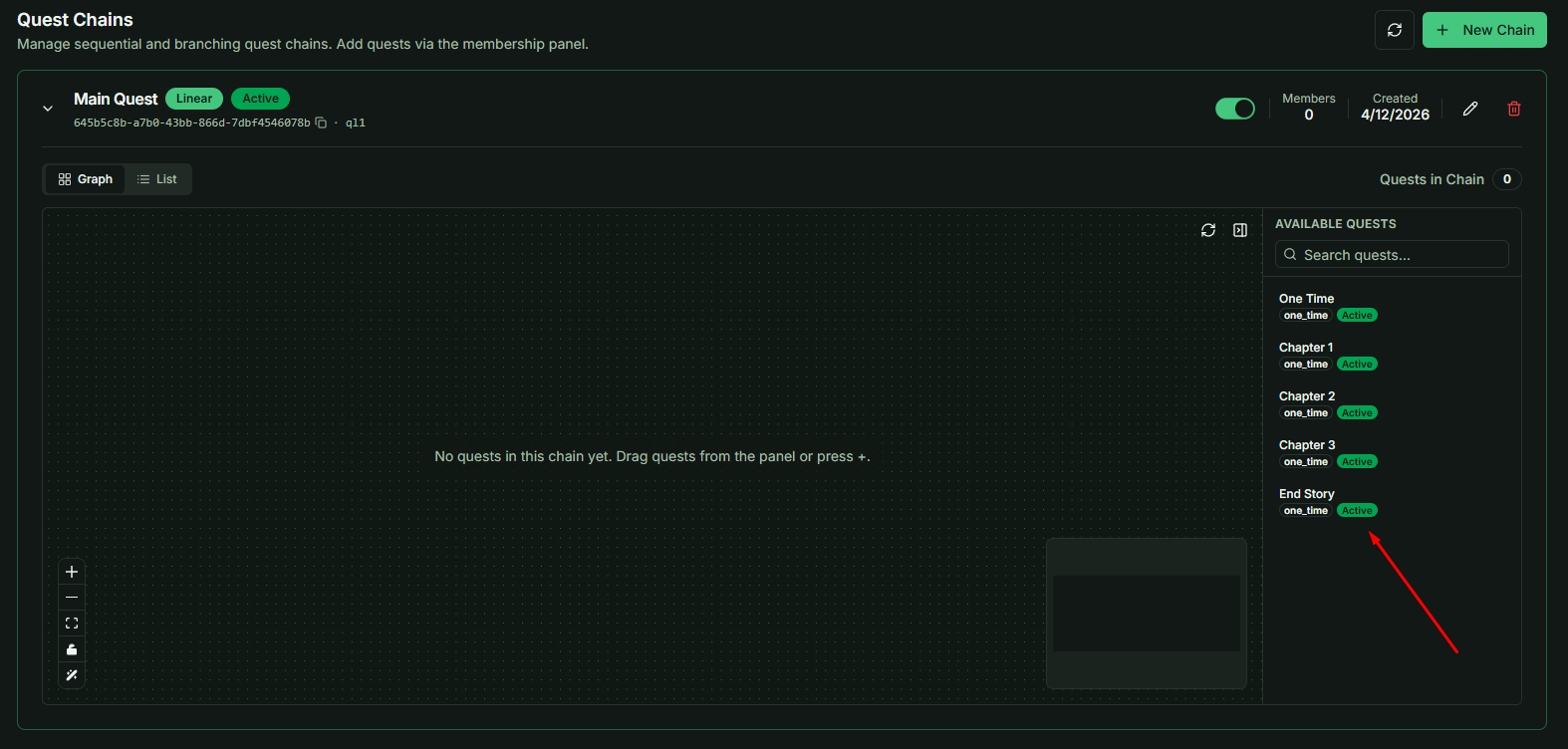
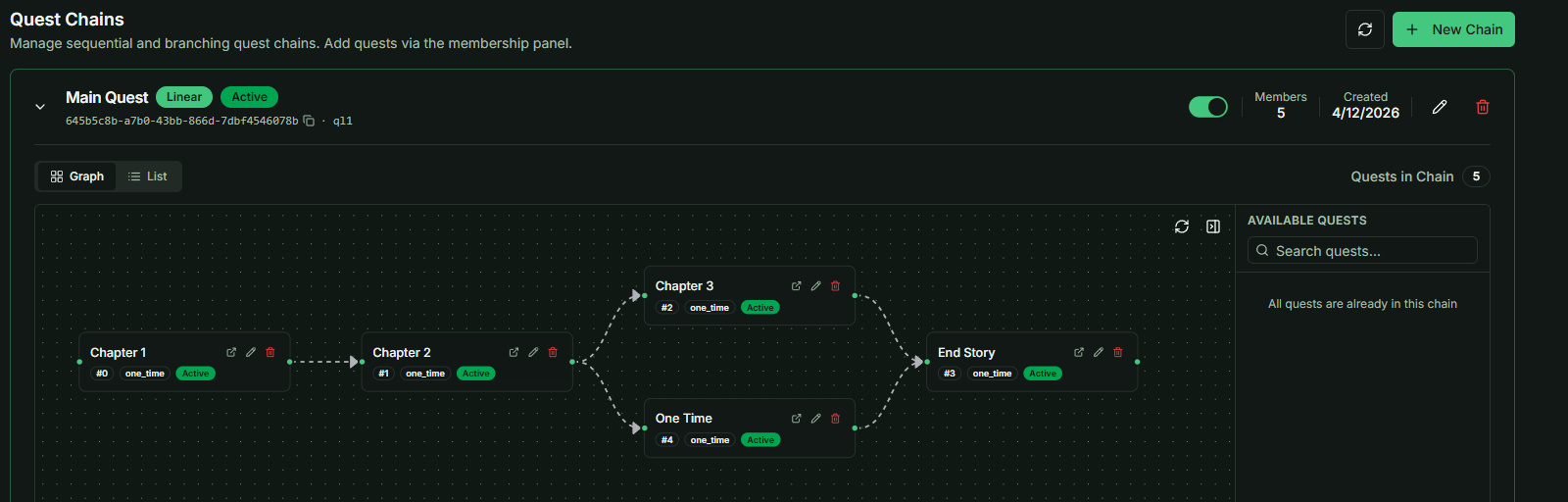
Once you open a Chain Quest, you will enter the Graph Workspace.
Adding Quests to the Story
- On the right-hand side, you will see a list of all available one_time Quest Definitions.
- Drag and Drop: Simply drag the quests you want into the Graph area.
- Flexibility: You don't have to use every quest. Different Chain Quests can share the same quest definitions or use entirely unique ones to tell different stories.
Creating Logical Links (Prerequisites)
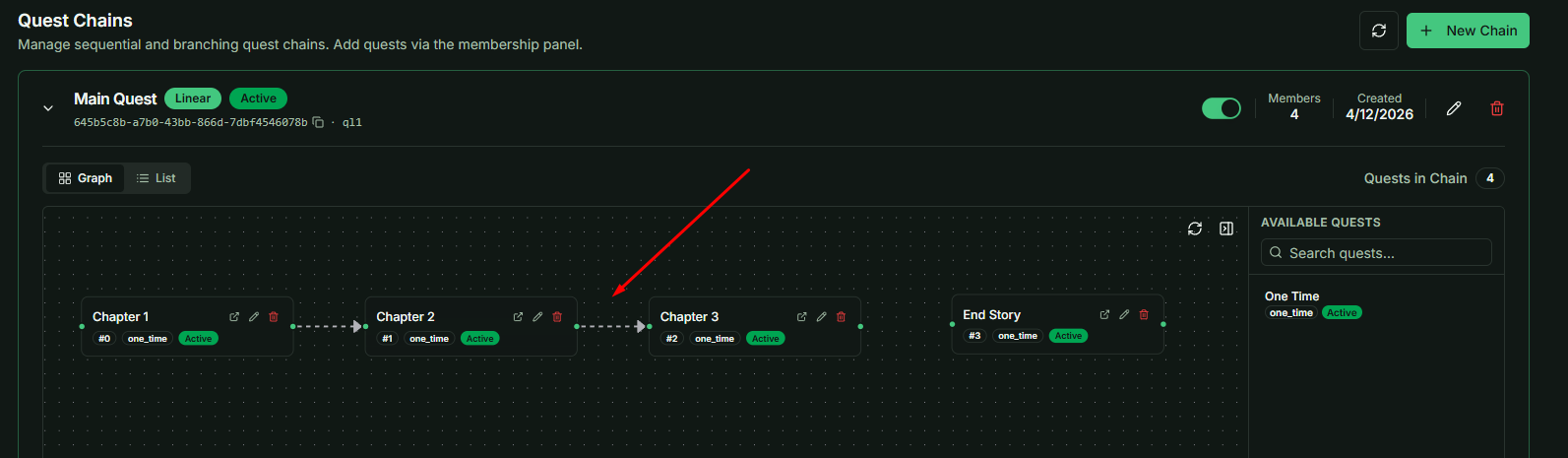
Each quest node in the Graph has two drag points (Left and Right):
- The Logic: To create a sequence, click and drag the Right point of Quest A and connect it to the Left point of Quest B.
- The Result: Quest A is now a Prerequisite. Quest B will only become available to the player once Quest A is completed and claimed.
4. Branching Narratives
One of the most powerful features of the Graph is the ability to create Branching Stories:
- Multiple Links: A single quest can link to multiple subsequent quests, forcing the story to branch out into different paths.
- Limits: While the number of branches is theoretically unlimited, your narrative complexity is naturally bound by your Quest Definition Limit.
5. Alternative View: List Mode
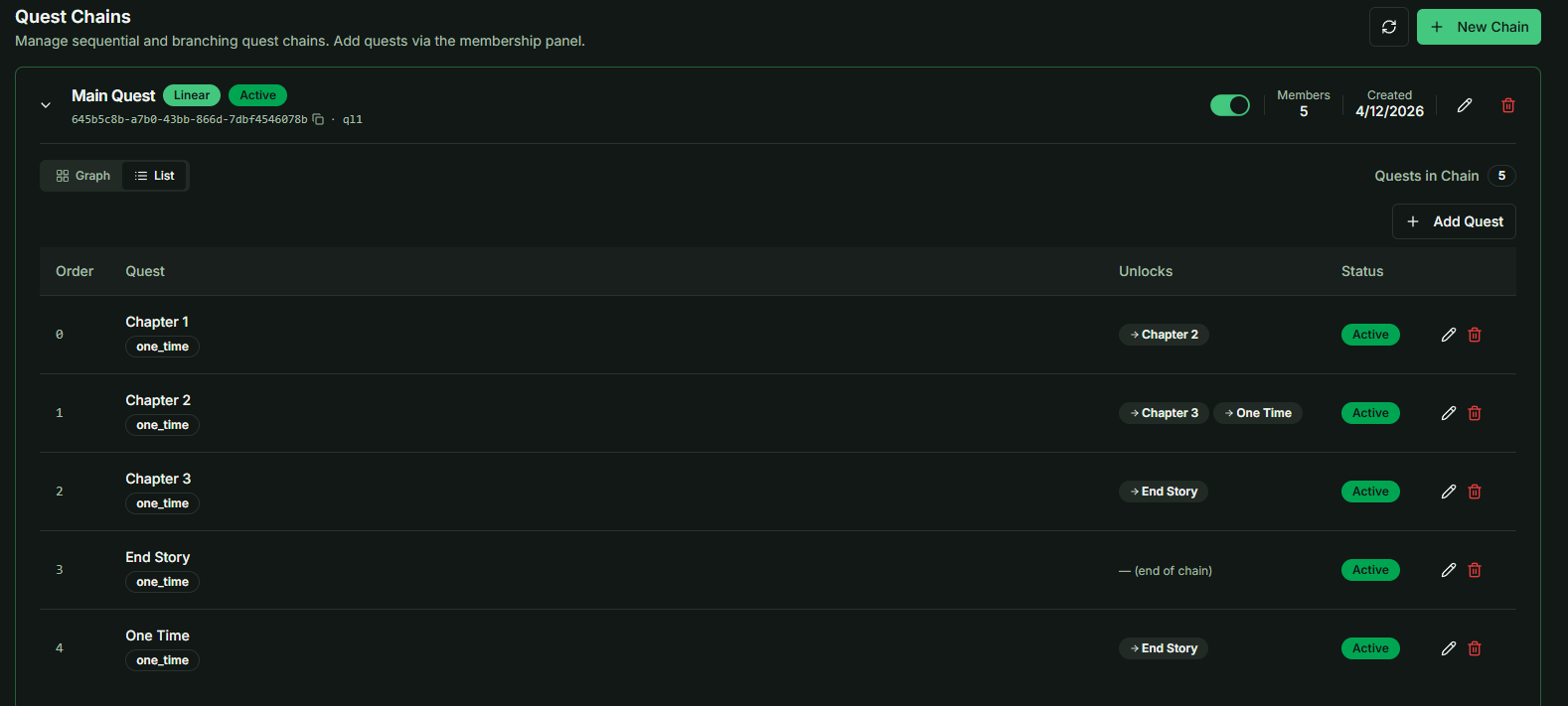
If your story becomes too large or complex to manage visually, you can switch from Graph View to List View.
- Why use it? While List View is less visual, it provides a clean, structured overview of all quests within the chain, which is helpful for troubleshooting or auditing complex quest flows.
Strategy Note: Use the Graph to visualize the player's journey. By branching and merging paths, you can create immersive worlds where player choices (which quest they choose to complete first) feel impactful.