
Create a Studio
Welcome! Let’s walk through the basic steps to get you started.
1. Create a Studio
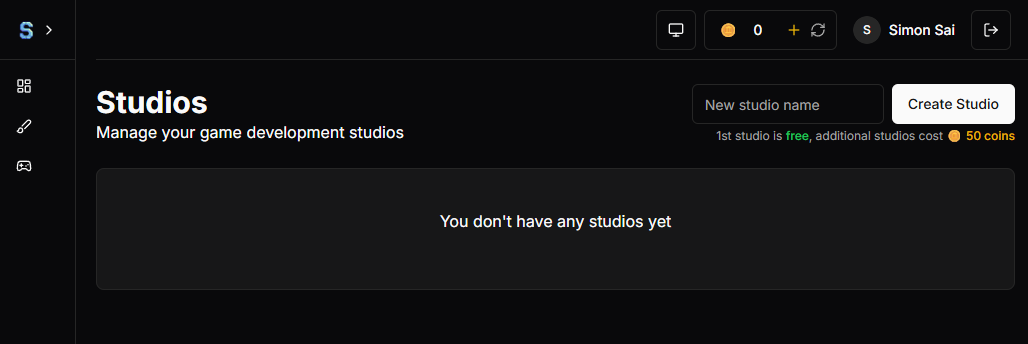
- First, you need to create a Studio. This is your main workspace where everything is organized.
- Just enter a new studio name and click the Create button.
2. Set Up a Team
Inside your Studio, you’ll need a Team.
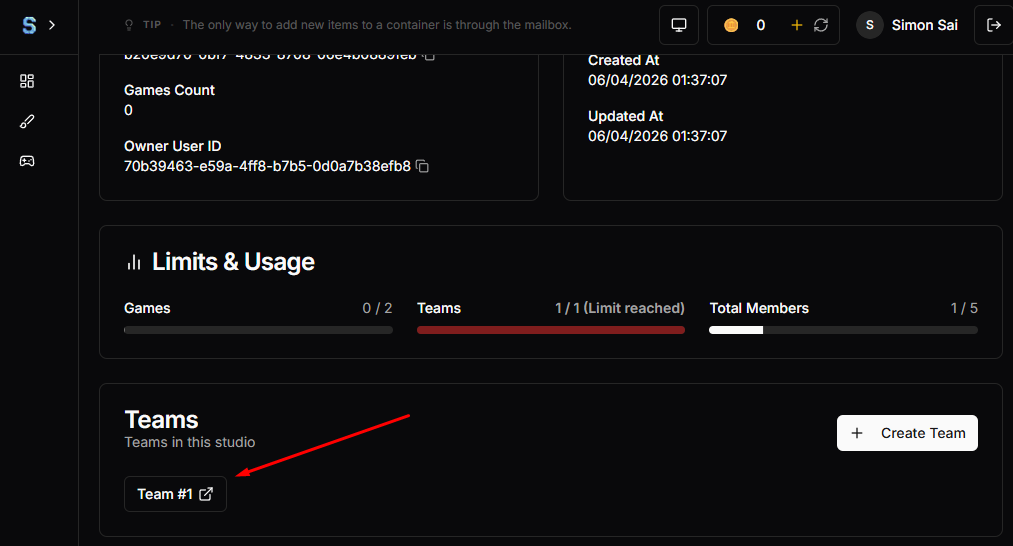
- If you’re working alone, you don’t need to add anyone. The system will automatically create a default team with just you in it.
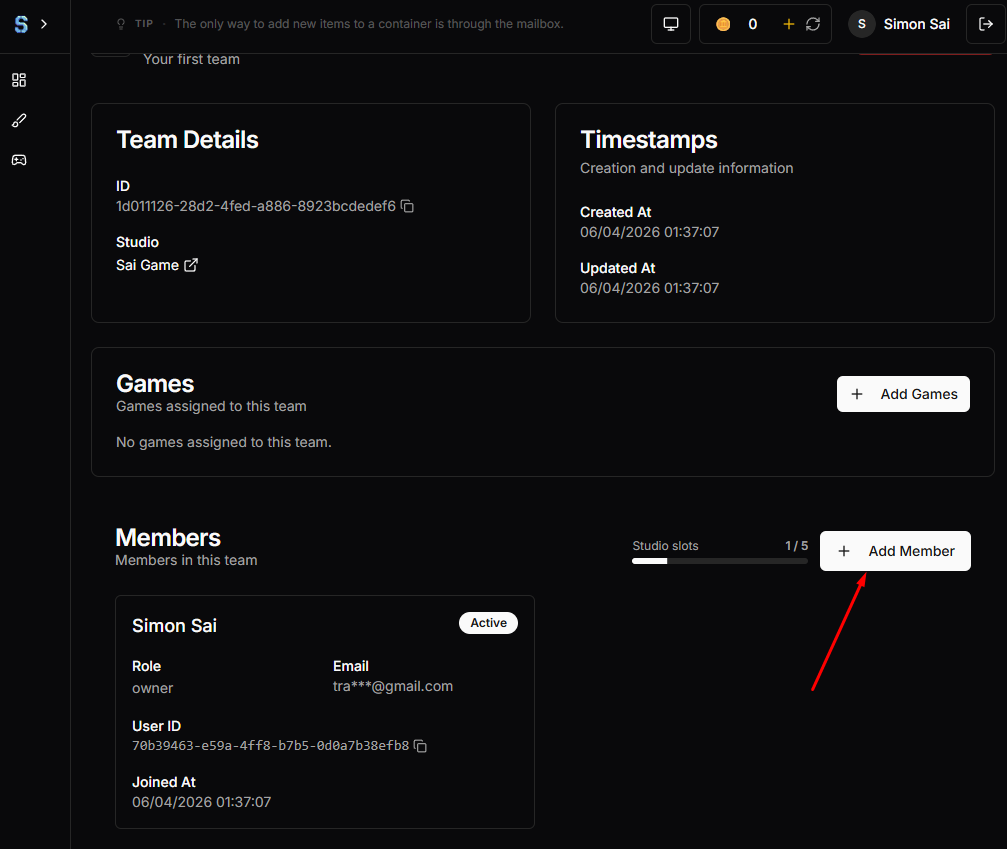
- If you want to collaborate with others, ask them to register an account and send you their User ID. You can then add them to your team.
3. Create Your First Game
- Next, create your first Game and assign it to your team. This helps keep your work organized and accessible to everyone in the team.
- Before you can add your game to the team, make sure you create it here
Create Game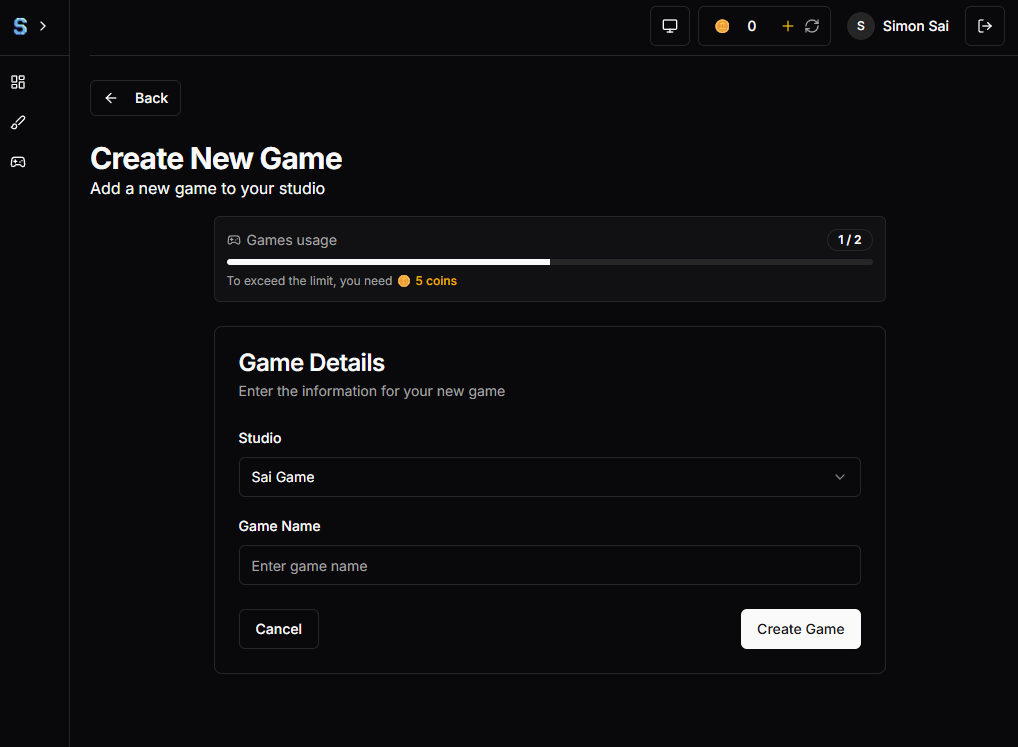
Add to the team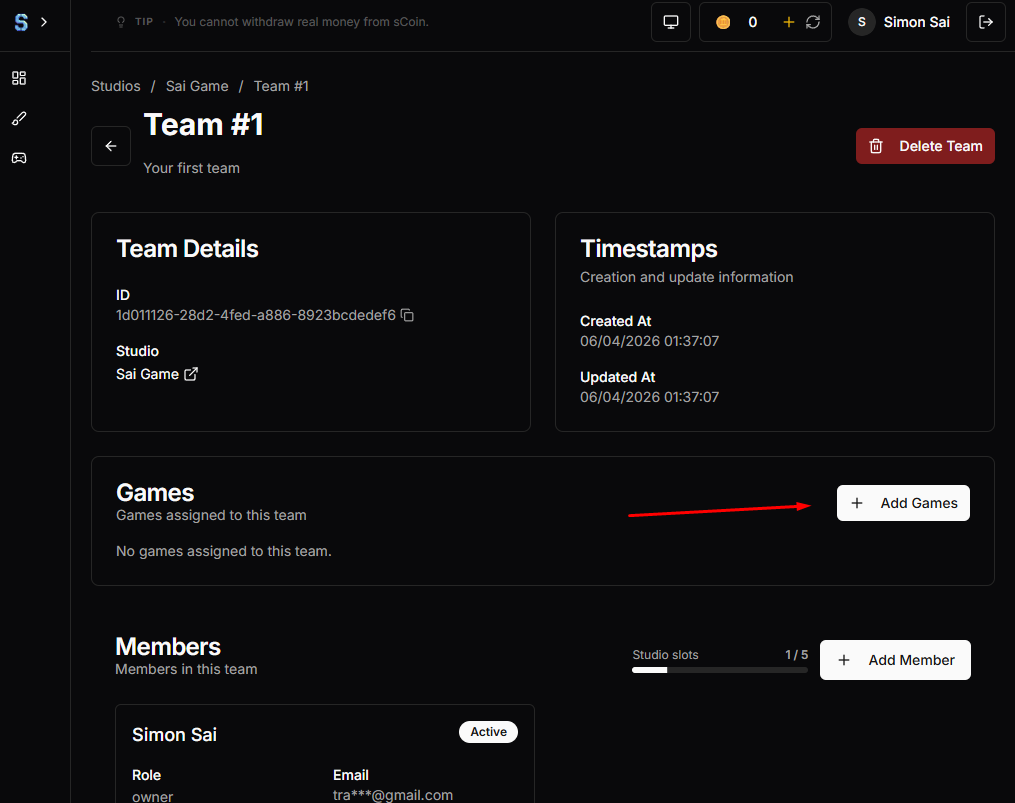
Additional Notes
- You can create unlimited Studios, Teams, and Games as long as you have enough sCoin.
- There are no monthly fees for the number of Studios, Teams, or Games you create.
- The system uses a one-time payment model, so you only pay once instead of recurring subscriptions.
- Inside a game, you may need a monthly subscription, but we’ll talk about that later.