
Create a Shop
This guide covers the fundamental setup and logic of the Shop system.
1. Usage & Shop Types
The Shop system operates under its own resource limits and does not consume your "Item Definition" usage units.
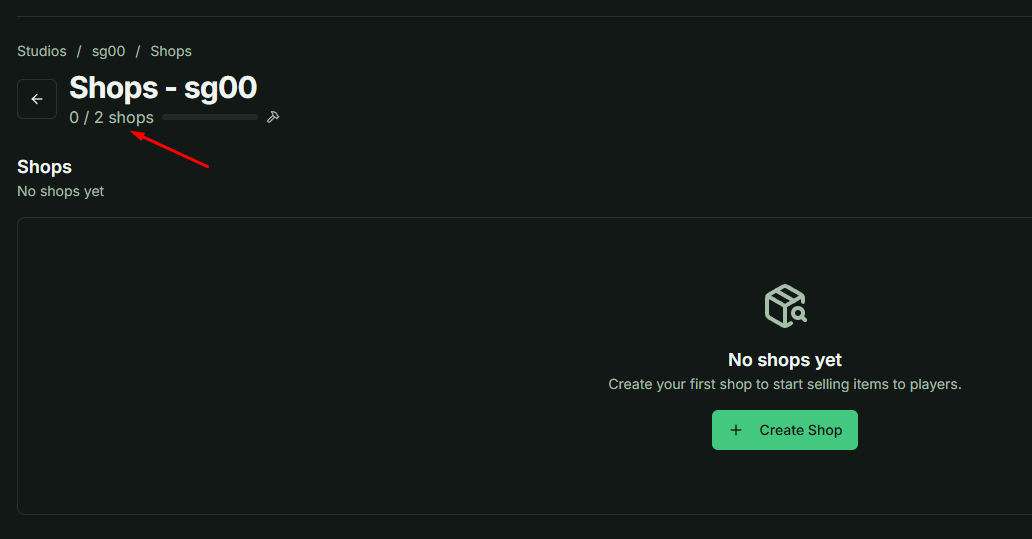
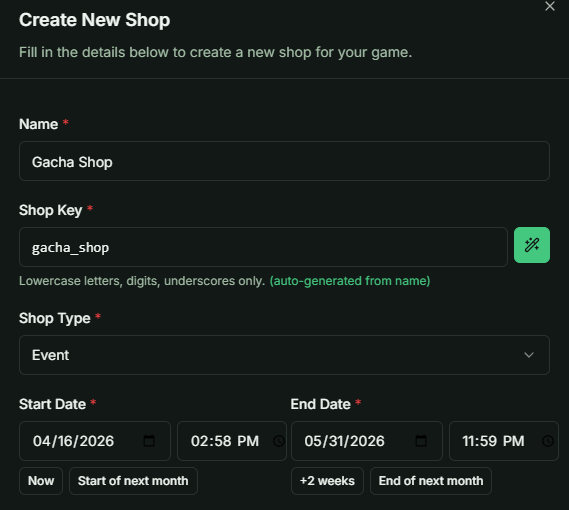
When creating a shop, once you've defined the Name and Key, the Shop Type is the most critical setting to consider.
- Permanent: The shop is always available to all players at any time, as long as its status is set to Active.
- Event: This type is time-bound. You must set a Start Date and an End Date. Once the End Date passes, the shop becomes inaccessible even if its status is still marked as Active.
2. Default Currency Logic
One of the most powerful features of the system is its flexibility regarding payment. For each shop, you must define a Default Currency.
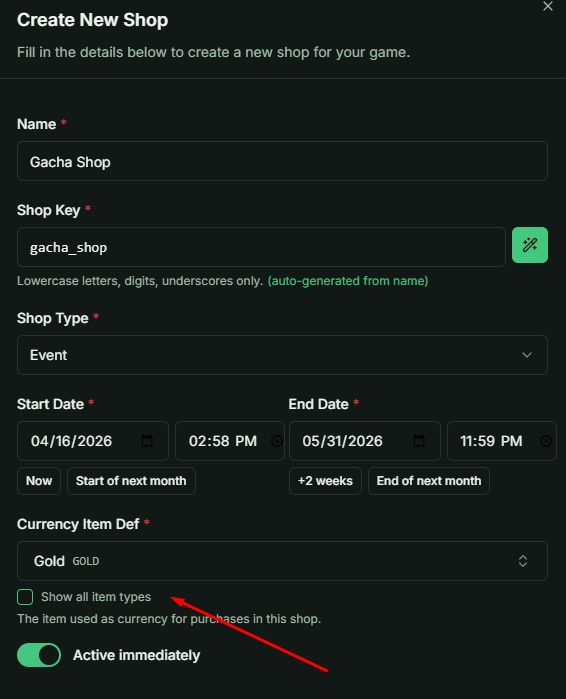
Pro Tip: You can set any Item Definition as the currency. It does not strictly have to be an item from the "Currency" Category. For example, you could require "Dragon Scales" or "Wood" (Material Category) to purchase items in a specific shop.
3. Maintenance & Status
You can toggle a shop's status between Active and Inactive. This is useful for temporary maintenance or preparing a shop's inventory before it officially goes live.
What's Next?
This covers the basic structural setup of a shop. In the next guide, we will dive deep into Shop Items—including how to add products, set individual prices, and manage purchase limits.