
Complete a Daily Quest
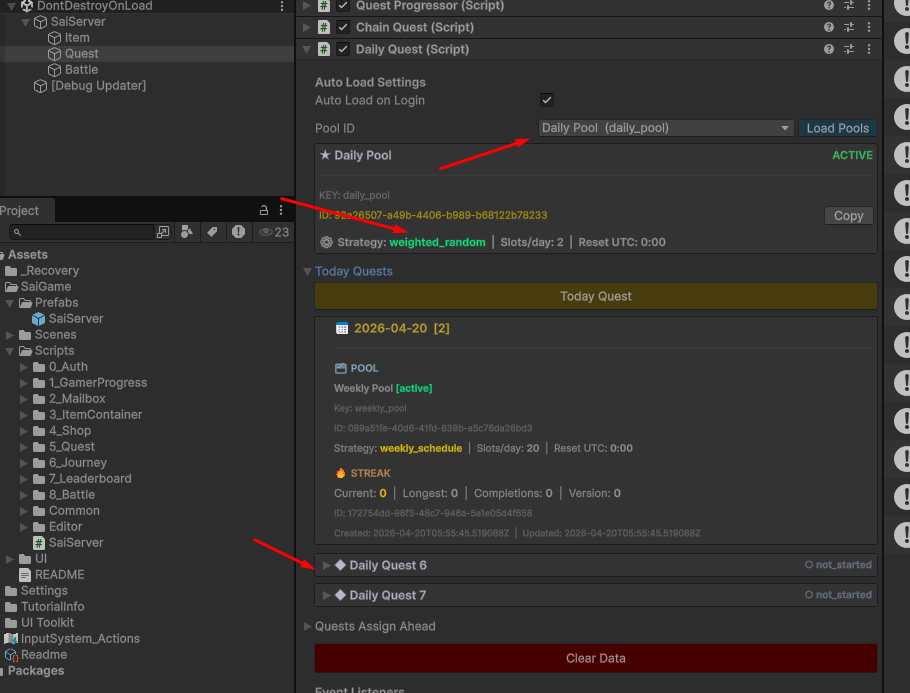
Locate the Daily Quest class in the Quest Child Object. If set up correctly, two pools will appear in the dropdown.
1. Assigning Quests
Select the Daily Pool configured with the weighted_random strategy and click Today Quest. At this point, the backend will randomly select two quests from your pool and assign them to the player.
2. Interactive Testing
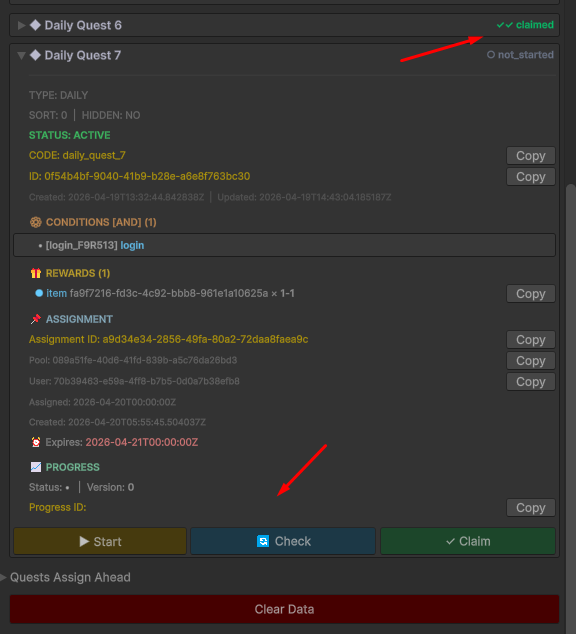
Each assigned quest features three primary actions: Start, Check, and Claim.
- Explore: Feel free to experiment with these functions.
- Stress Test: Try clicking the buttons in different sequences and multiple times to observe how the system handles various behaviors.
3. Understanding the Player Perspective
From a player's point of view, the daily pools appear identical. The only difference lies in the Backend Logic regarding how quests are picked:
- Weighted Random: Provides variety based on probability.
- Weekly Schedule: If you assign exactly one quest per day, you can create a fixed, predictable schedule for the entire week.
Dev Note: Use this testing phase to ensure that your random weights feel balanced and that the "Check" function accurately reflects the player's progress.