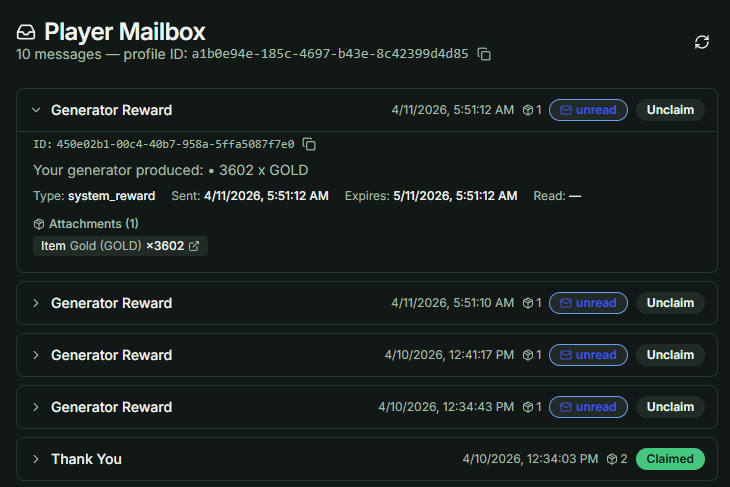
Claim Resources from Generator
Follow these steps to configure, test, and integrate the Item Generator system into your project.
Reward Destination Configuration
Before configuring timers and item outputs, you must determine the delivery method for the generated items. The system supports two primary destinations: Direct Inventory and Mailbox.
-
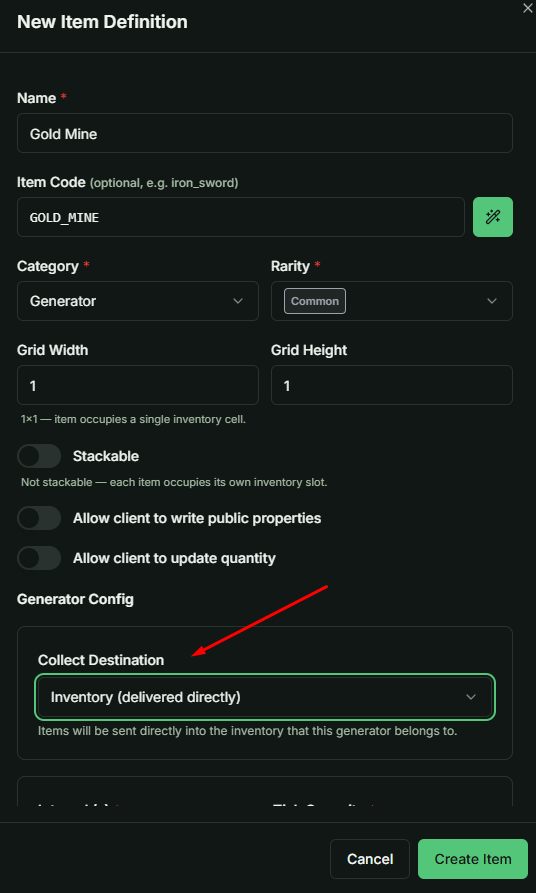
Direct Inventory: When this option is selected, items produced by the generator are sent immediately to the player's container (inventory).
- Mechanism: Items are injected directly into the same Inventory (Container) that currently holds the Item Generator instance.
- Validation: Ensure the container has enough available slots to prevent transaction errors during item generation.
-
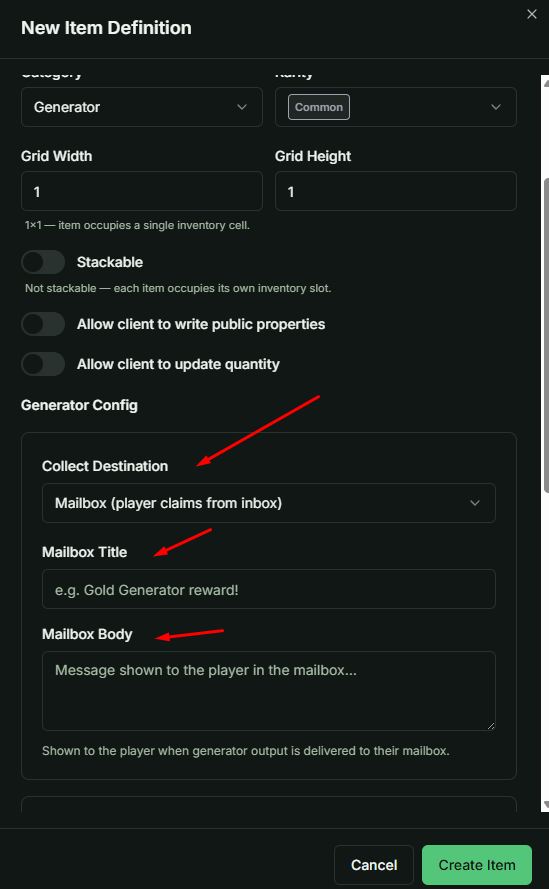
Mailbox: This method acts as an intermediary delivery system.
- Mechanism: Generated items are sent as attachments to the player's in-game mail.
- Manual Claim: Players are required to perform a Claim action within their mailbox to transfer the rewards to their inventory.
- Customization: This option allows for personalized messaging by configuring the Email Title and Email Body.
1. Initial Configuration for Testing
To facilitate efficient testing, create a generator with a short accumulation cycle.
- Set Interval: Configure the
Intervalto 3 seconds. This allows you to observe tick accumulation in real-time without long wait periods. - Select Output: Assign Gold or any preferred item to the output list.
- Define Range: Set a clear
MinandMaxquantity per tick to verify the randomization logic.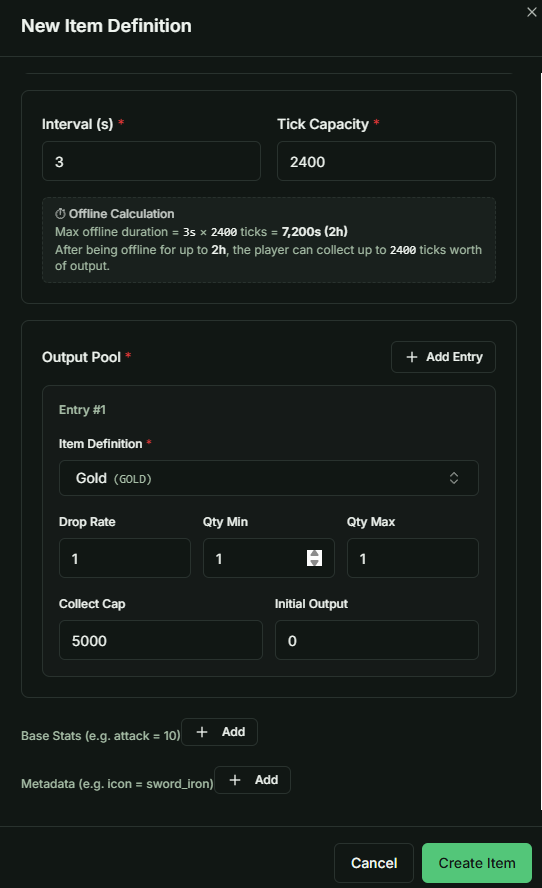
2. Distributing the Generator
Once the definition is created, you need to grant the item to a test account.
- Navigate to the Mailbox system in your CMS/Dashboard.
- Send the specific Item Generator definition to your player ID.
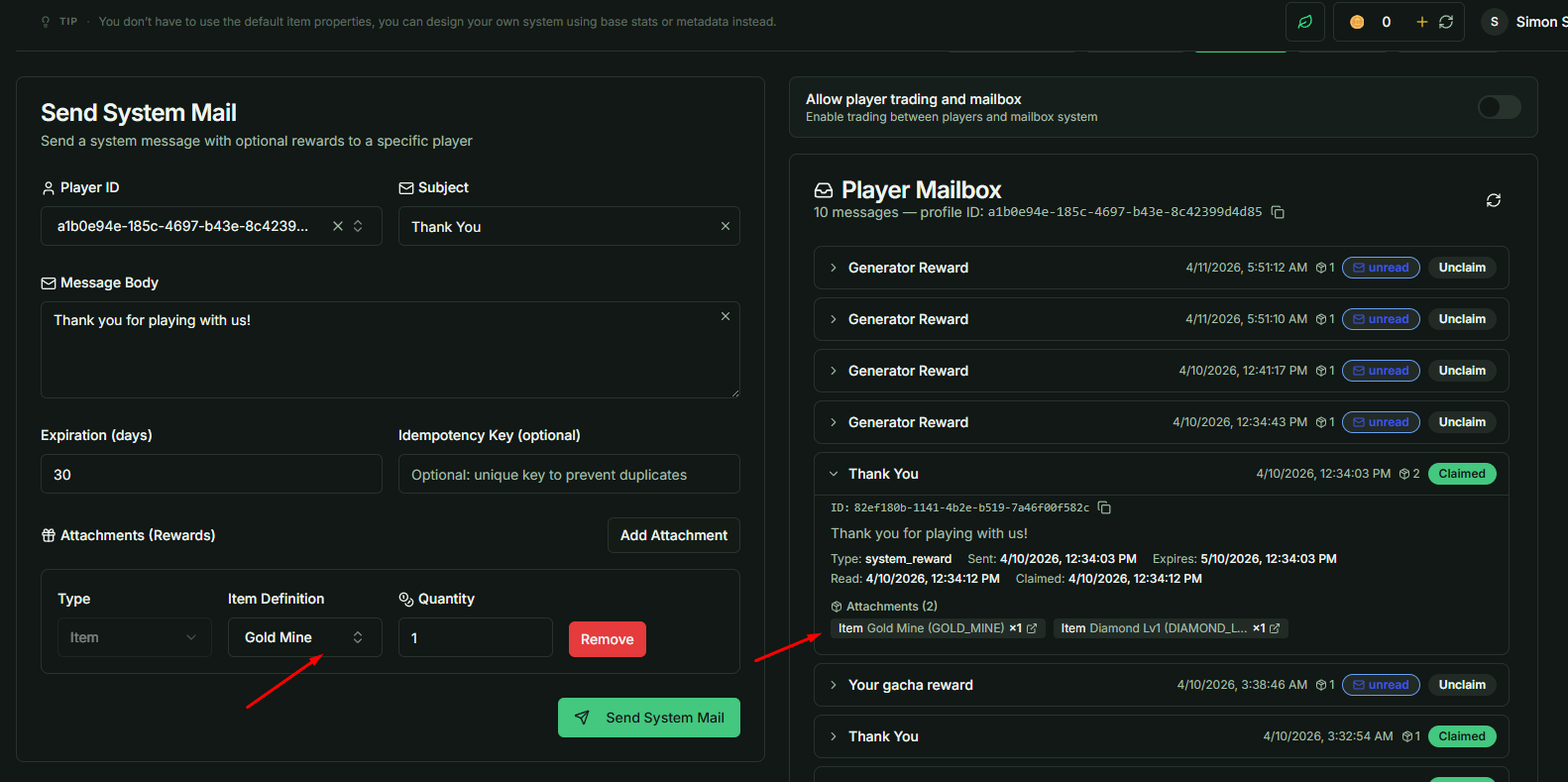
3. Unity Environment Setup
Open your Unity project and ensure you are logged into the specific environment/game ID used for testing.
- Navigate through the Hierarchy to find the ItemGenerator class. Typically located within the
Itemchild object. - Use the Inspector window to monitor real-time variables such as elapsed time and accumulated ticks.
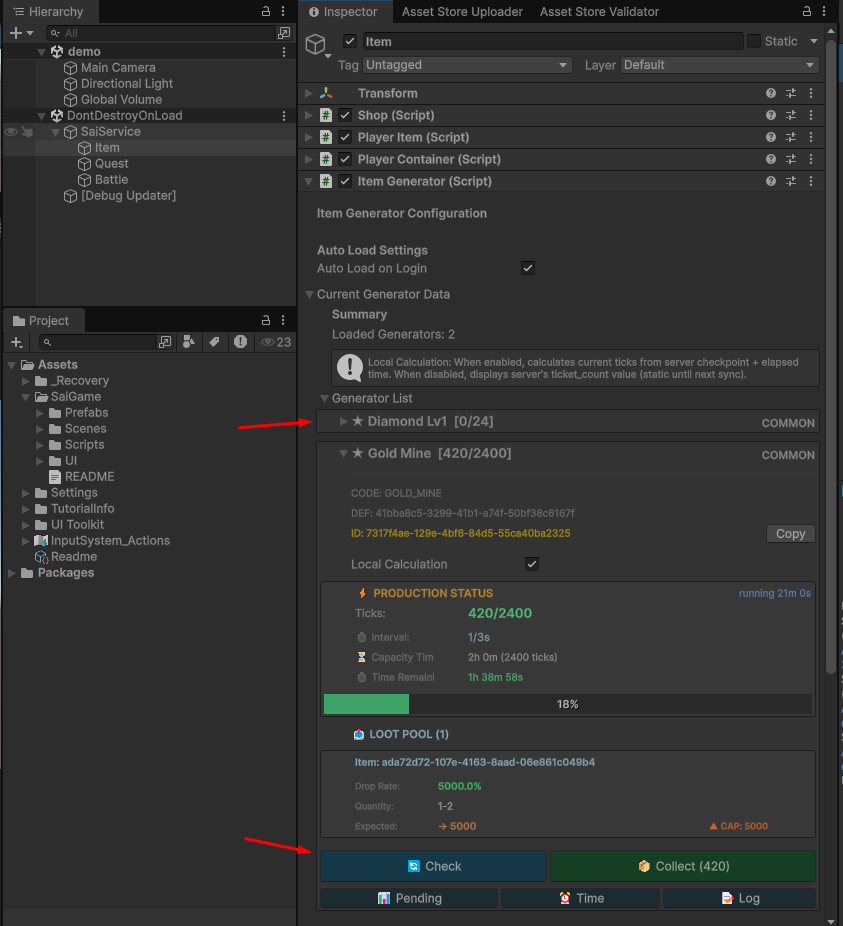
The generator system is designed to be highly intuitive. Once you understand the underlying accumulation logic, you can easily map the backend data to your game's UI.
- Recommended Displays: Current stored ticks, time remaining until the next tick, and the estimated total resources available for collection.
5. Function Integration
The ItemGenerator class is built to be "plug-and-play."
- All core logic, such as calculating available rewards or resetting the timer, is already encapsulated within pre-built functions.
- You can invoke these functions directly from your own scripts without writing additional boilerplate code or complex logic handlers.
6. Receiving Generator Rewards via Mailbox
- Depending on your configuration, items produced by the generator may be delivered directly to the Player Mailbox instead of the main inventory.
- This ensures that rewards are securely logged and accessible even if the player is offline or their inventory is full.