Send an item to a player
This guide demonstrates the foundational method of distributing items to players using the Mailbox system within the Sai Game Admin and Unity environment.
1. Overview
The Mailbox system serves as a primary delivery mechanism for rewards, compensatio. This method allows administrators to push items directly to specific player accounts for manual retrieval.
2. Locating the Player Profile
Before sending items, you must verify the player's current inventory state to ensure the transaction is tracked correctly.
- Navigate to the Players section of the Game Admin.
- Select the specific Player Profile from the list.
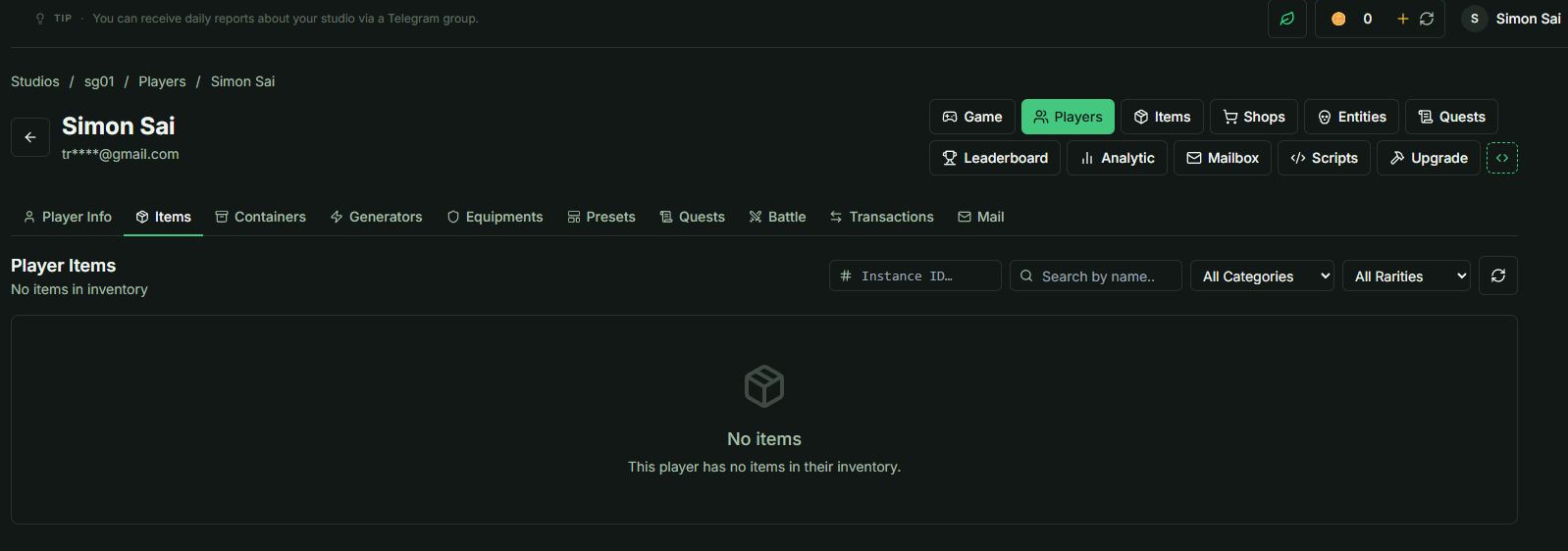
- Open the Items Tab.
- Verification: Confirm that the item list is currently empty.
3. Sending a Mail with Attachments
To send an item, use the Player Mailbox interface. This ensures the unique Player ID is correctly mapped.
Navigation
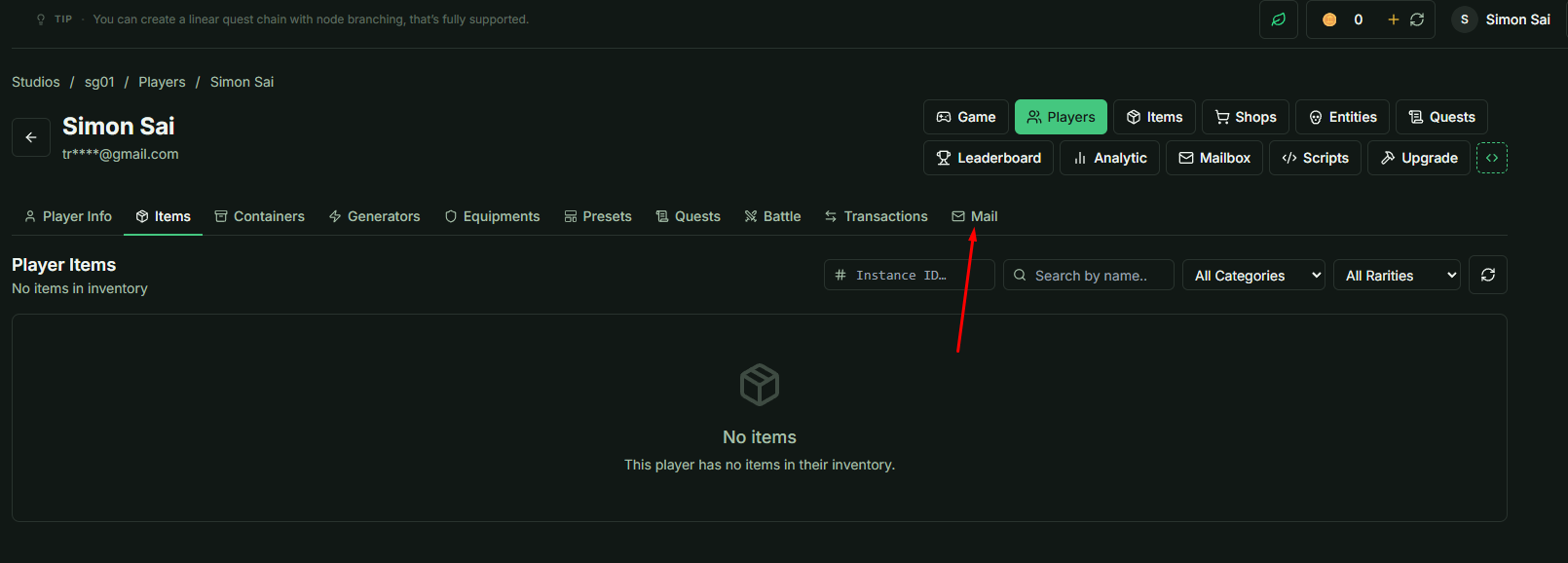
- While in the Player Profile, navigate to the Mail Tab.
- Note: Using this tab automatically populates the Player ID field.
- Note: Using this tab automatically populates the Player ID field.
Execution Steps
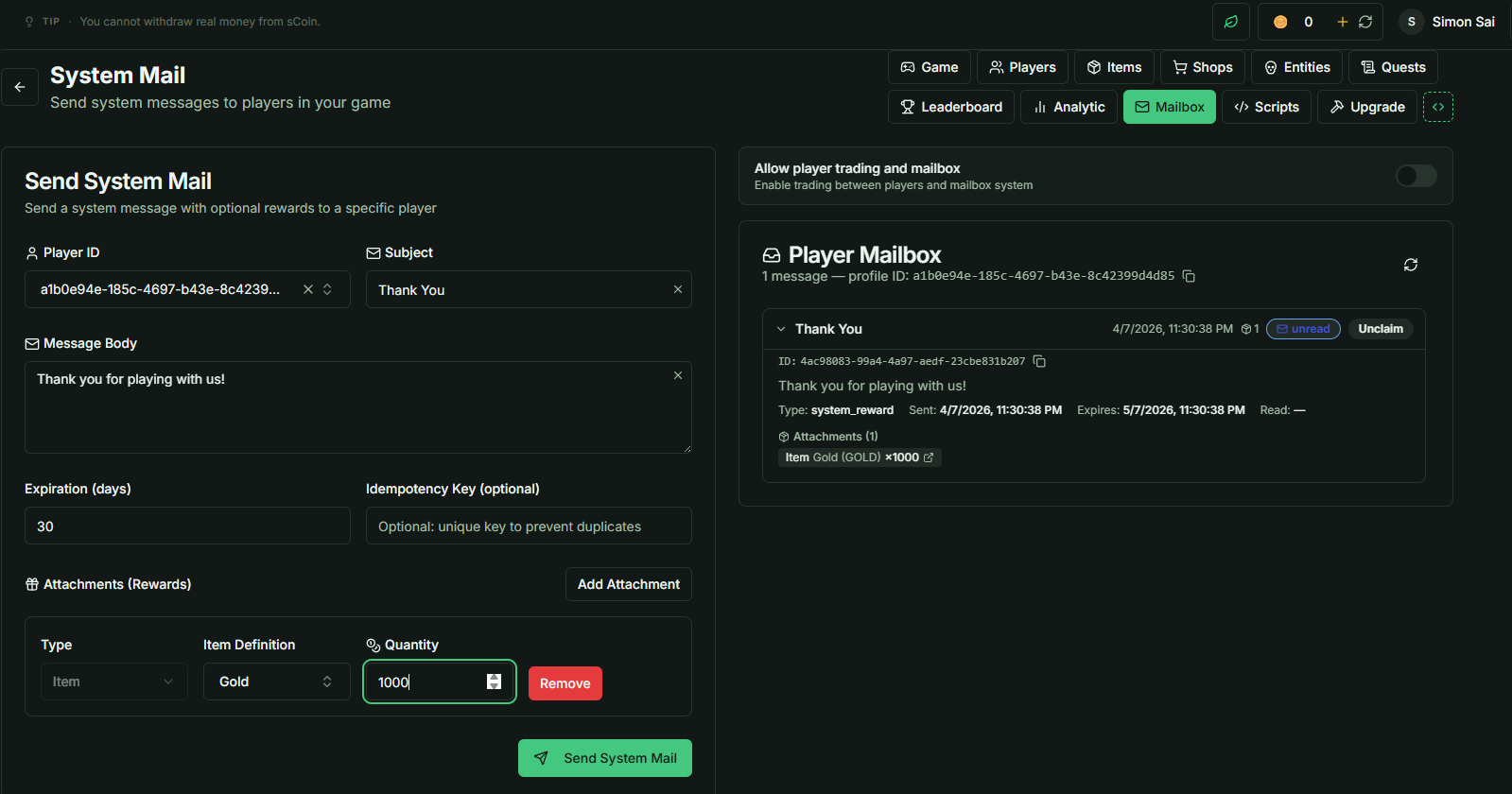
- Locate the Attachments section at the bottom of the interface.
- Select a specific item from the available library.
- Set any necessary message parameters and click Send.
- Verification: The Player Mailbox list should now display a new entry with the status:
- unread
- unclaim
4. Claiming Items in Unity
Once the mail is sent via the Admin panel, the player must claim it within the game client to update their inventory.
Implementation Workflow
- Launch the project in Unity.
- Log in with the targeted player account.
- Locate the
Mailboxclass under theSaiServiceObject. - Execute the
LoadMessagemethod to fetch current mail data.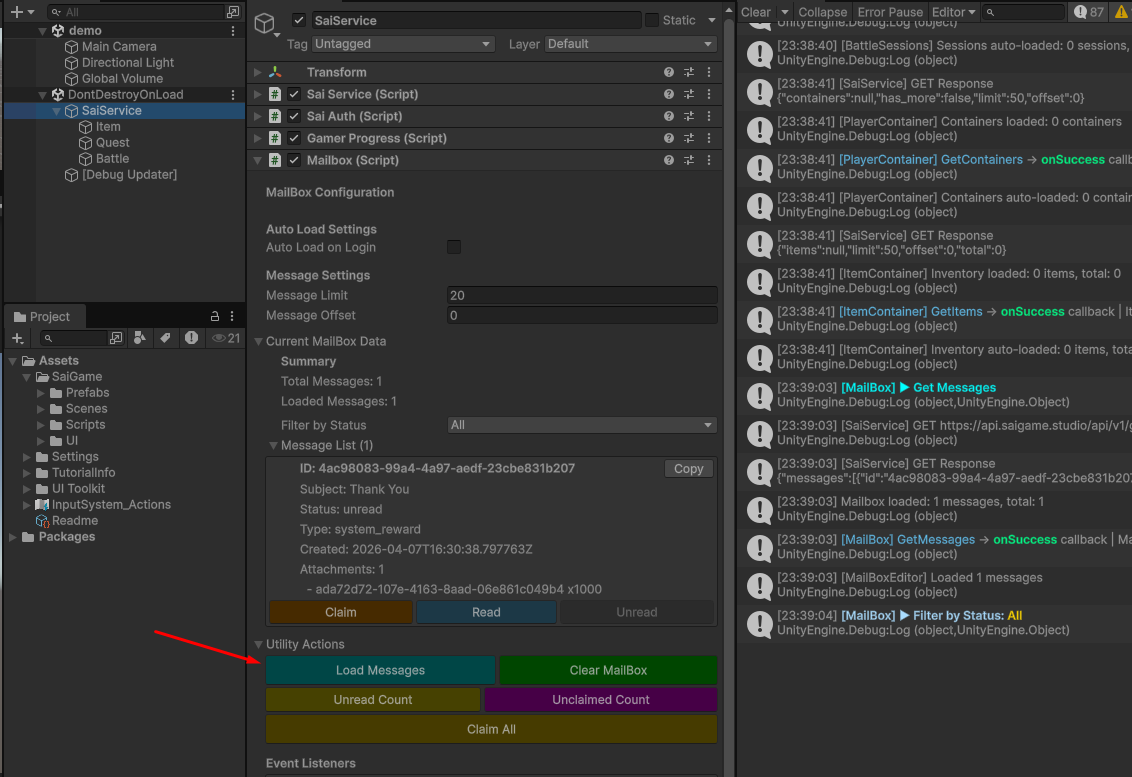
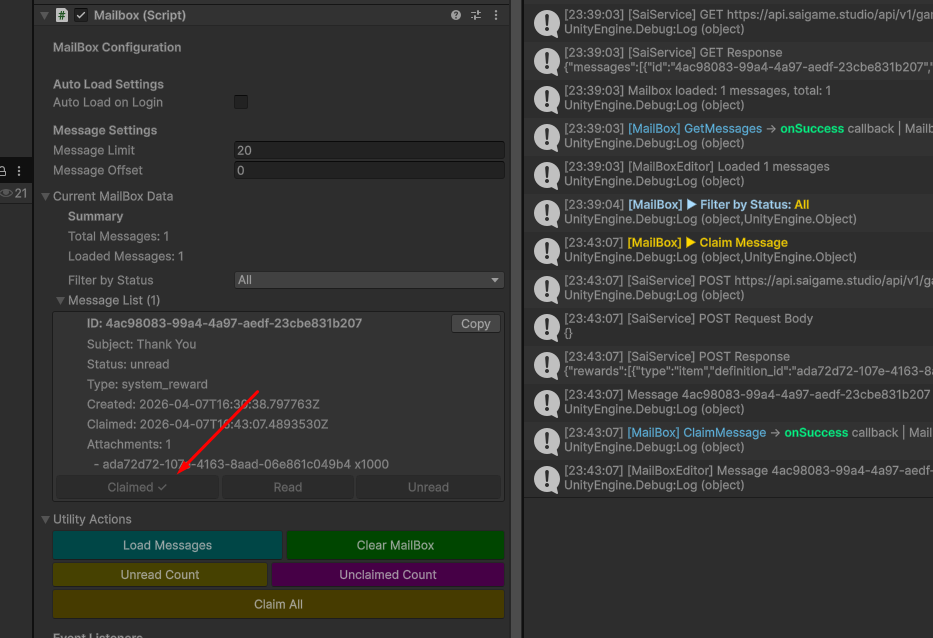
- Execute the Claim action on the specific email containing the attachment.
5. Verification of Receipt
After the claim action is completed in Unity, the database updates the player's inventory state.
- Return to the Sai Game Admin.
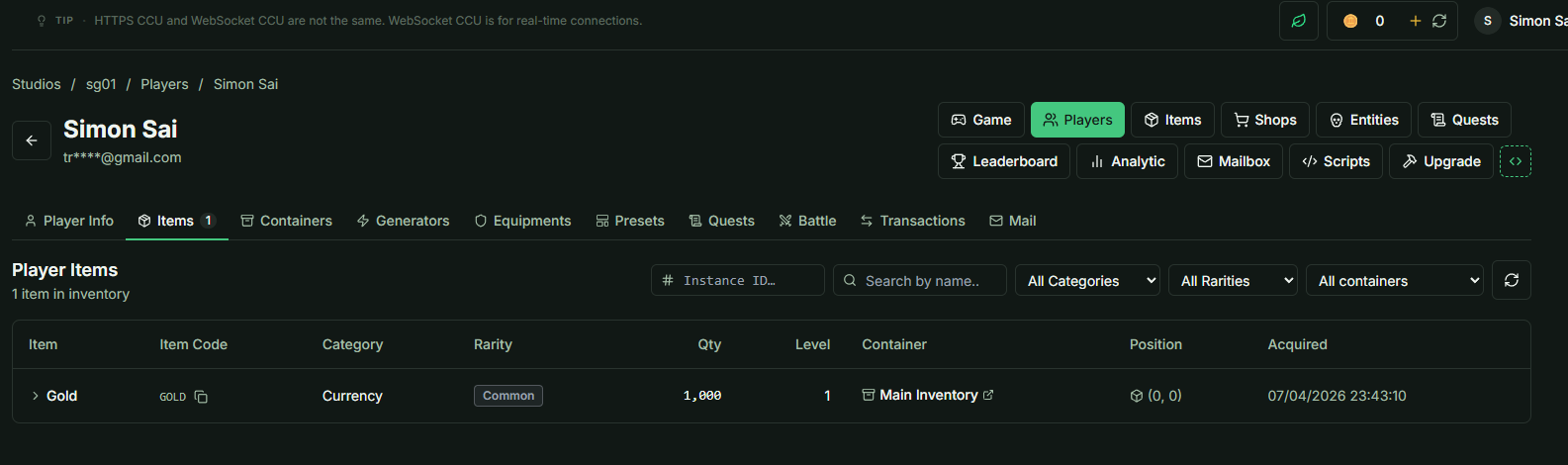
- Refresh the Items Tab within the Player Profile.
- The attached item will now appear in the player's inventory list.