
Leaderboard
The Leaderboard is currently a Rare feature. To enable it, you must have an active Rare subscription for your game.
1. Score Mode Mechanism
When creating a leaderboard, you are required to select a Score Mode, which defines the underlying logic for how player rankings are calculated. The Score Mode determines how the system "folds" delta events into the stored scores for a specific board, season, and user.
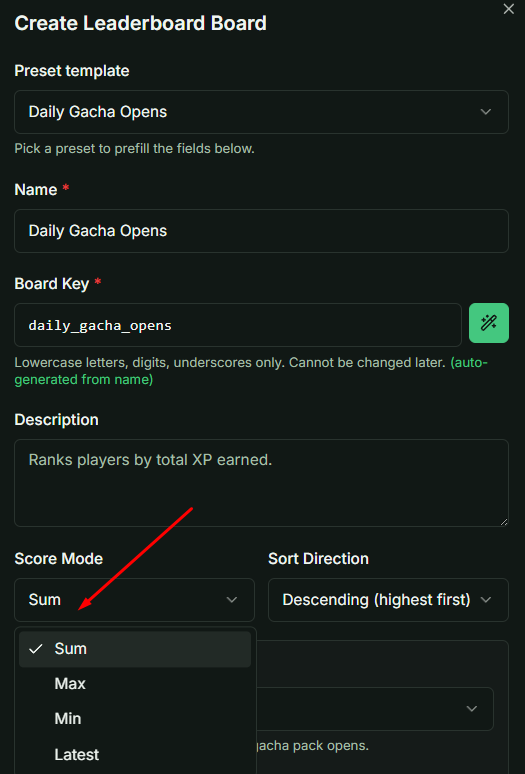
Available Modes
| Mode | Logic / Formula | Primary Use Case |
|---|---|---|
| Sum | New = Current + Σ Delta | Accumulating totals (e.g., total items collected, gacha opens). |
| Max | New = Max(Current, Max(Delta...)) | High scores (tracking the best single-run performance). |
| Min | New = Min(Current, Min(Delta...)) | Speedruns (tracking the "best time" or lowest value). |
| Latest | Overwrites with the most recent event. | Tracking current status or the last recorded value. |
Important: For Min Mode, if no score exists yet, the system seeds the value from the first event rather than starting at 0. This ensures that positive deltas are not ignored (which would otherwise leave the score stuck at 0).
Sorting Interaction
While the Score Mode calculates the value, the Sort Direction handles the ranking:
- DESC (Descending): High scores rank better (used with Sum/Max).
- ASC (Ascending): Low scores rank better (used with Min for speedruns).
2. Source Type & Auto-Scoring
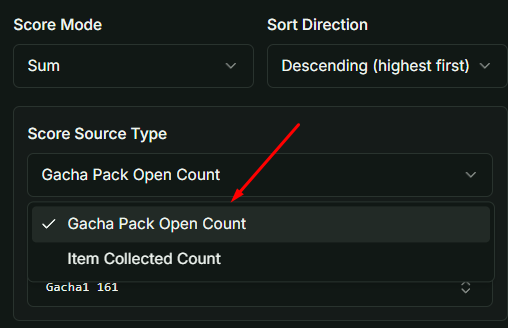
The Score Source Type defines which game events automatically generate score updates.
- gacha_pack_open_count: Increments score by +1 every time a player opens a specific pack.
- item_collected_count: Adds the quantity of an item to the score every time it is received.
Note: The
score_source_typeandscore_source_ref_idmust be configured together. If one is missing, the scoring rule will be invalid.
3. Reset Schedule & Cycle Policy
This defines how seasons are managed and how often scores are cleared.
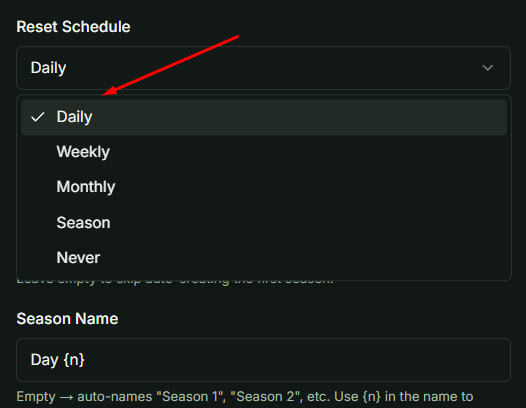
Auto-Cycle (Daily, Weekly, Monthly)
The service automatically pre-creates a "pipeline" of upcoming seasons.
- Daily: 7-day pipeline; resets at UTC midnight.
- Weekly: 4-week pipeline; resets every Monday at UTC midnight.
- Monthly: 2-month pipeline; resets on the 1st of every month.
When a season ends, top players are archived, rewards are dispatched via mailbox, and a new season is added to the end of the pipeline.
Manual Season
No automatic pipeline is created. Admins must manually trigger StartNewSeason or EndSeason.
Never (Permanent)
Scores accumulate indefinitely. The "End Season" action is blocked for this schedule type.
4. Season Start & Naming
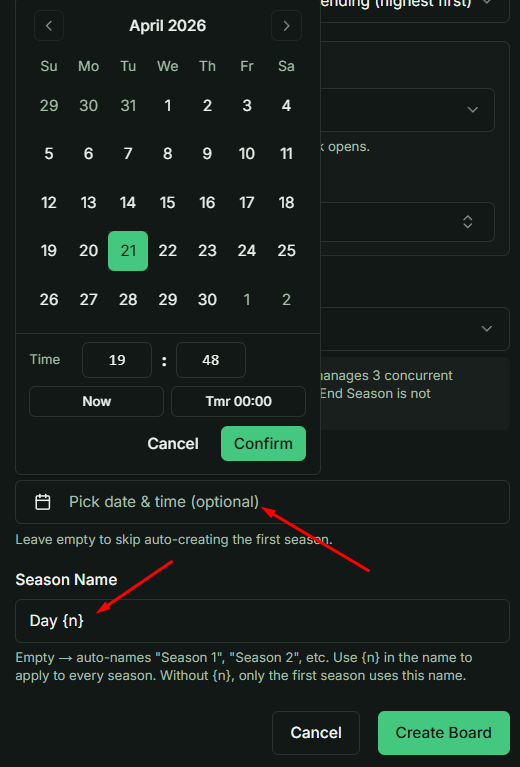
First Season Start At
- If Empty (Null): The season starts at the default anchor time (e.g., next midnight for Daily).
- If Defined: The first season starts exactly at that timestamp, and the entire future pipeline is calculated forward from that point.
Season Name Patterns
The system uses a pattern resolver to name seasons automatically:
- Empty (""): Defaults to "Season 1", "Season 2", etc.
- Pattern ("Day {n}"): The {n} placeholder is replaced by the season number (e.g., "Day 1", "Day 2").
- Literal ("Launch"): Only applies the name to Season 1. Subsequent seasons will fall back to "Season N".
Dev Note: To ensure consistent naming across a full cycle, always use the {n} pattern. If you need to test score logic, use the Sum mode as it is the most stable and common implementation for production leaderboards.